Short answer: Vue 3 with the Composition API and <script setup> makes strict TypeScript practical in a way the Vue 2 Options API never did, because component props, emits and state can be typed directly instead of through a sprawling this object.
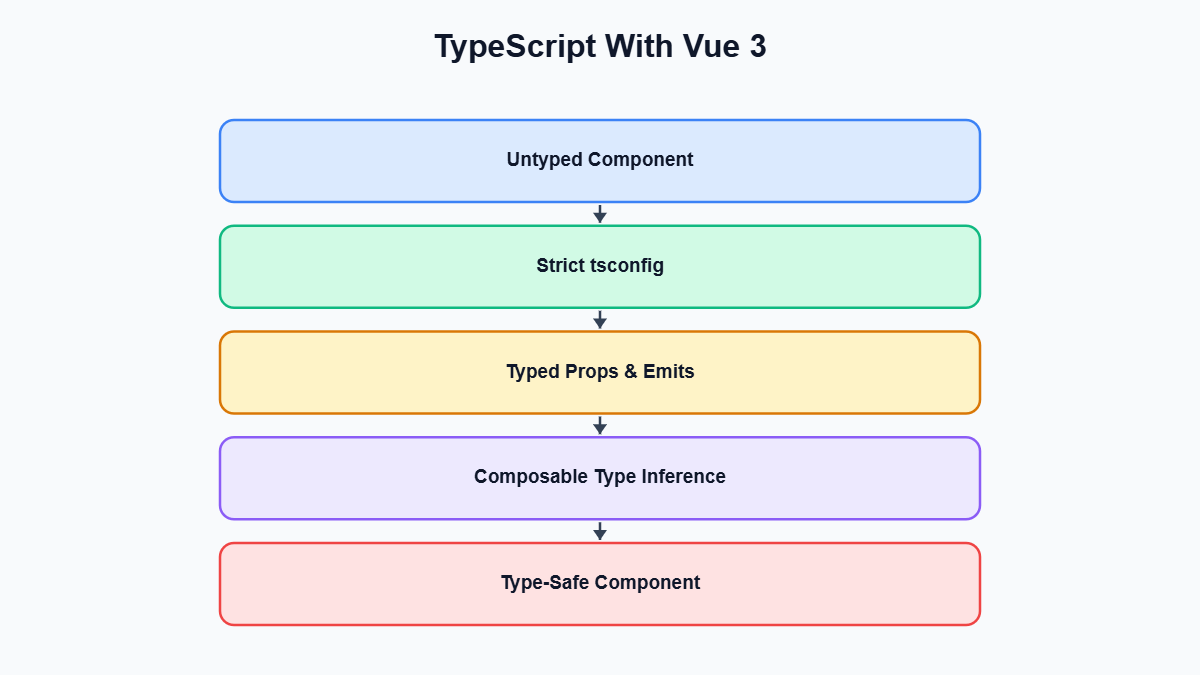
If you tried TypeScript with Vue 2 and walked away unimpressed, you are not alone. The Options API forced you to type a sprawling this-bound object, and even with the best decorator libraries the editor experience never felt quite as smooth as it should have. TypeScript with Vue 3 is a different story. The Composition API, and especially the <script setup> syntax, was designed with type inference in mind, and the result is that TypeScript with Vue 3 feels closer to writing typed TypeScript functions than to fighting a framework.
This post walks through how to turn on strict typing for a Vue 3 component-based codebase: typing props, typing emits, typing refs and reactive state, typing composables, and flipping on strict: true project-wide without your CI pipeline collapsing on day one.
None of this requires exotic tooling. You need Vue 3, the official TypeScript support that ships with it, and a willingness to be a little more explicit about types than you might be in a plain JavaScript project. The payoff is that your editor starts catching mistakes before you ever run the app: a missing required prop, an emit with the wrong payload shape, a composable that silently returns undefined in a code path you forgot about. That is why so many teams evaluating TypeScript with Vue 3 end up committing to it once they see how little friction there is compared to the old Options API days.
Why TypeScript With Vue 3 Finally Feels Natural
The core reason TypeScript with Vue 3 works so much better than TypeScript with Vue 2 comes down to one architectural decision: the Composition API replaces a large, dynamically merged this object with ordinary function calls. In the Options API, a component was essentially a configuration object — data, methods, computed, props, watch — that Vue stitched together at runtime and exposed through this.
TypeScript is reasonably good at inferring types from object literals, but not at inferring types across a runtime-merged object where properties defined in data need to become available on this inside methods, defined in a sibling property of the same object. Vue 2’s official type support worked around this with heavy use of the defineComponent helper and clever generics, but it was always an approximation bolted onto an API that wasn’t designed for it.
Composition API functions sidestep the problem entirely. ref, computed, and reactive are just regular functions that take an argument and return a value, exactly like any other TypeScript-friendly utility function. When you write const count = ref(0), TypeScript infers that count is a Ref<number> the same way it infers the return type of any other function call. There is no merged this object for the compiler to reconstruct and no need for special-cased generics just to get autocomplete on a property defined three sections away in the same file. You declare a variable, you get a type, and that type flows naturally into every function that touches it afterward.
<script setup> takes this further by removing the boilerplate that used to sit between your logic and the component definition. With plain setup(), you had to explicitly return everything the template needed, and TypeScript had to infer the shape of that returned object correctly for template type-checking to work.
With <script setup lang="ts">, every top-level binding is automatically exposed to the template, and the compiler macros — defineProps, defineEmits, defineExpose — are designed to accept TypeScript generics as their primary API. This is a big part of why teams adopting TypeScript with Vue 3 describe it as writing normal, well-typed TypeScript that happens to render a UI, with components acting as functions with typed inputs (props), typed outputs (emits), and typed internal state (refs and reactive objects) — all things TypeScript already knows how to check.
There’s a second, subtler benefit: because Composition API code is just function composition, you can extract logic into composables — plain functions built from ref, computed, and friends — and type them exactly like any other exported function in a TypeScript library. That composability is what makes strict typing sustainable across a large app; you are typing small, focused functions and letting inference carry the rest, rather than fighting one monolithic component type. We’ll return to composables in detail later, but it’s worth flagging early as the biggest structural reason TypeScript with Vue 3 scales better than TypeScript with Vue 2 ever did.
Strict Prop Types With defineProps
Props are usually the first place teams add types, since they form the contract between a component and whoever uses it. Vue 3 gives you two ways to declare props inside <script setup>: a runtime object syntax, and a type-based generic syntax. Both are valid, but only one gives you real compile-time strictness.
The runtime syntax looks like this:
defineProps({
  label: String,
  count: Number,
  disabled: Boolean
})
This works, and Vue does some inference from the constructor functions passed in, but it has real limits. It can’t express union types cleanly, can’t express nested object shapes without a verbose PropType cast, and it’s easy to end up with a prop typed as string when what you actually wanted was a specific set of string literals. The type-based syntax solves this by letting you write an actual TypeScript interface as a generic argument:
<script setup lang="ts">
interface ButtonProps {
  label: string
  variant?: 'primary' | 'secondary' | 'danger'
  disabled?: boolean
  onClickOverride?: (event: MouseEvent) => void
}

const props = withDefaults(defineProps<ButtonProps>(), {
  variant: 'primary',
  disabled: false
})
</script>

<template>
  <button
    class="app-button"
    :class="[props.variant, { disabled: props.disabled }]"
    :disabled="props.disabled"
    @click="props.onClickOverride ? props.onClickOverride($event) : undefined"
  >
    {{ props.label }}
  </button>
</template>
A few things are worth noting. First, variant is typed as a union of string literals, not a generic string. If a teammate passes variant="tertiary" somewhere, TypeScript flags it immediately, in the editor, before the code ships — literal-type strictness that’s essentially impossible to express cleanly with the runtime object syntax without dropping into a PropType<'primary' | 'secondary' | 'danger'> cast.
Second, notice the question marks on variant, disabled, and onClickOverride. In the type-based syntax, optional props are just optional properties on the interface, like any other TypeScript interface. Anything without a question mark is required, and consumers of the component get autocomplete and required-field checking in their editor the moment they write <AppButton in a template.
Third, withDefaults is how you attach default values to optional props when using the type-based syntax. Because defineProps<ButtonProps>() on its own has no way to express runtime default values — it’s pure type information, compiled away — Vue provides withDefaults as a wrapper that takes the typed defineProps call plus an object of defaults, and type-checks those defaults against the interface so you can’t accidentally set a default that doesn’t match the declared type.
The reason the type-based syntax is preferred once you care about strictness: the runtime object syntax is checked against JavaScript constructor functions like String and Number, a much coarser system than TypeScript’s structural typing. You lose literal types, you lose clean “one of these two interfaces” unions, and you lose the ability to reuse a shared interface across components without re-declaring it as a runtime shape each time. The type-based syntax is just TypeScript, so anything expressible in a .ts file — generics, unions, intersections, utility types like Partial or Pick — is expressible in a component’s props.
Typing Emits With defineEmits
Emits are the other half of a component’s public contract, and they get the same type-based treatment. The older, runtime array syntax for defineEmits — something like defineEmits(['update', 'close']) — tells Vue the event names but nothing about their payloads, so a parent listening with @update="handleUpdate" gets zero type information about what arguments handleUpdate will actually receive.
The type-based generic syntax fixes this by letting you declare each event as a call signature:
<script setup lang="ts">
interface CartItem {
  id: string
  name: string
  price: number
  quantity: number
}

const emit = defineEmits<{
  add: [item: CartItem]
  remove: [itemId: string]
  quantityChange: [itemId: string, quantity: number]
}>()

function increment(item: CartItem) {
  emit('quantityChange', item.id, item.quantity + 1)
}

function removeItem(item: CartItem) {
  emit('remove', item.id)
}
</script>
Each key in the generic object is an event name, and the tuple type on the right describes the exact arguments that event carries. This is the labeled-tuple syntax current Vue versions recommend, and it reads almost like a function overload signature. With this in place, calling emit('quantityChange', item.id, item.quantity + 1) is fully checked: get the event name wrong, drop an argument, or pass a number where a string is expected, and TypeScript catches it inside the component. Just as importantly, when a parent listens with @quantity-change="onQuantityChange", Vue’s tooling infers the handler’s parameter types from the child’s defineEmits declaration, so the parent gets autocomplete on itemId and quantity without extra annotations.
This pairs naturally with typed props to give you a component whose entire public surface — what goes in, what comes out — is described in plain TypeScript sitting at the top of the file. Anyone opening the component can read the ButtonProps interface and the defineEmits generic and understand the contract without reading a line of template markup.
Typing Refs and Reactive State
Inside the component body, most local state is declared with ref or reactive, and in most cases you don’t need to annotate anything. TypeScript infers a ref’s type from its initial value, so const isOpen = ref(false) gives you a Ref<boolean> automatically. But when the initial value’s type is too narrow to represent everything the ref will eventually hold, inference locks you into that narrow type — which is the classic gotcha every team hits early on, usually with null:
// Inferred as Ref<null> -- not what we want
const selectedUser = ref(null)

function selectUser(user: User) {
  // Error: Type 'User' is not assignable to type 'null'
  selectedUser.value = user
}
Because the only value assigned at declaration time is null, TypeScript reasonably concludes selectedUser is a Ref<null> and nothing else. Assigning an actual User later becomes a type error, even though the whole point of the ref is to eventually hold a User. The fix is to give ref an explicit type argument covering every state the value can be in, and let the initial value satisfy that wider type:
const selectedUser = ref<User | null>(null)

function selectUser(user: User) {
  selectedUser.value = user // fine
}

function clearSelection() {
  selectedUser.value = null // also fine
}
This same pattern shows up constantly: refs that start empty and get filled after an async fetch, refs holding a union of a loading state and a resolved value, refs starting as an empty array but later holding objects of a specific shape. The rule of thumb: if the initial value’s inferred type doesn’t cover every value you’ll assign later, add an explicit generic. Empty arrays are the second most common trap — const tags = ref([]) infers as Ref<never[]>, which rejects almost any .push() call with a real value, so you want const tags = ref<string[]>([]) instead.
reactive works on object shapes rather than a single value, and TypeScript’s structural inference tends to handle it more gracefully — but the same principle applies if the object’s initial shape doesn’t cover fields assigned later. Many teams reach for a typed interface even on simple-looking reactive objects for this reason:
interface FormState {
  email: string
  password: string
  rememberMe: boolean
  submitError: string | null
}

const form = reactive<FormState>({
  email: '',
  password: '',
  rememberMe: false,
  submitError: null
})
Declaring the interface costs a few extra lines, but every field on form is checked against a known shape everywhere it’s used, and if a new field is added later, every place that reads from form gets checked against the update automatically. Inferred types are great until a shape needs to grow, and an explicit interface makes that growth safe.
Typing Composables for Full Autocomplete
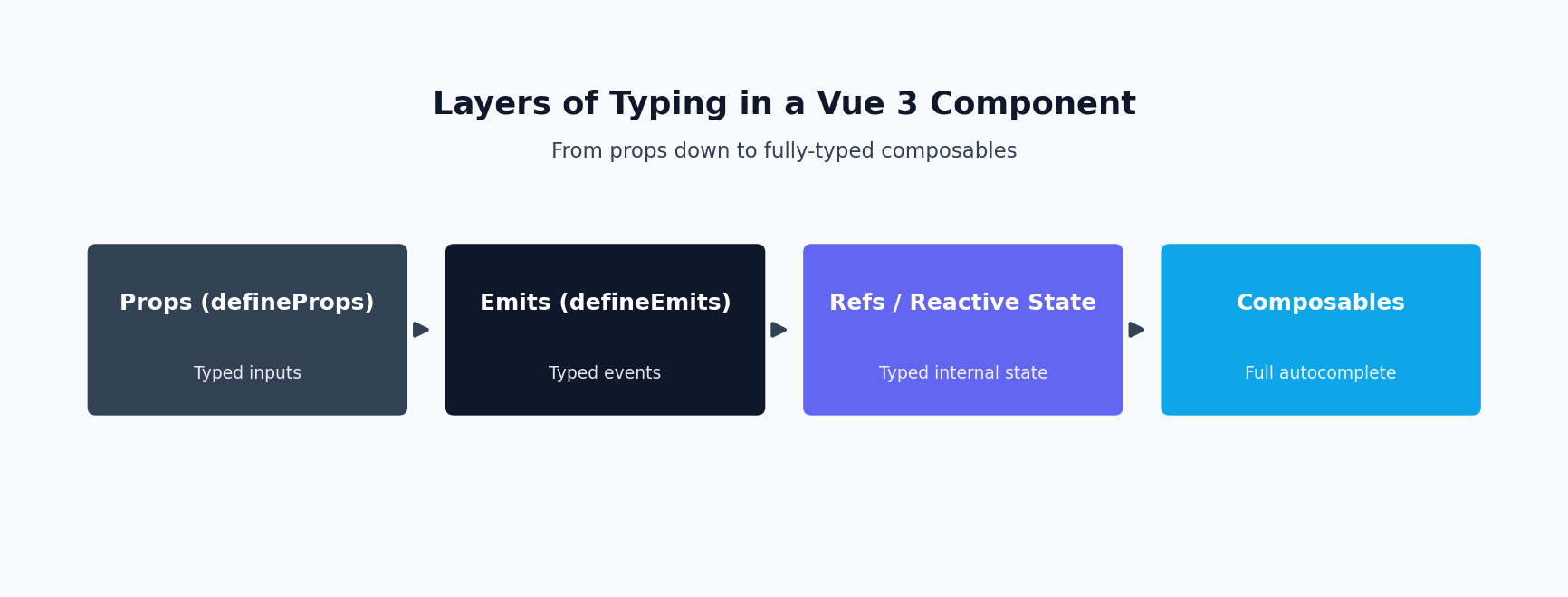
Composables are where the investment in typing genuinely compounds. A composable is just a function — usually prefixed with use by convention — that encapsulates some piece of reactive logic and returns the pieces a component needs. Because it’s a plain function, you type it exactly like any other exported TypeScript function: parameters get types, and the return value gets a type, either inferred or explicit.
Here’s a realistic composable for fetching a resource, with an explicit return type so any consuming component gets full autocomplete without knowing anything about the implementation:
import { ref, type Ref } from 'vue'

interface Product {
  id: string
  name: string
  price: number
}

interface UseProductResult {
  product: Ref<Product | null>
  isLoading: Ref<boolean>
  error: Ref<string | null>
  fetchProduct: (id: string) => Promise<void>
}

export function useProduct(): UseProductResult {
  const product = ref<Product | null>(null)
  const isLoading = ref(false)
  const error = ref<string | null>(null)

  async function fetchProduct(id: string): Promise<void> {
    isLoading.value = true
    error.value = null

    try {
      const response = await fetch('/api/products/' + id)
      if (!response.ok) {
        throw new Error('Failed to load product')
      }
      product.value = (await response.json()) as Product
    } catch (err) {
      error.value = err instanceof Error ? err.message : 'Unknown error'
    } finally {
      isLoading.value = false
    }
  }

  return {
    product,
    isLoading,
    error,
    fetchProduct
  }
}
Notice the explicit UseProductResult interface on the function signature, rather than letting TypeScript infer the return type automatically. Both will type-check correctly here, but an explicit return type documents the composable’s public API in one place — useful once a composable’s implementation grows past a screen or two — and acts as a safety net: refactor the internals and accidentally drop a field the interface promises, and TypeScript raises the error inside the composable itself, at the point of the mistake, rather than as a confusing error in some unrelated component that consumes it.
Once useProduct is typed this way, using it in a component is exactly as clean as you’d hope:
<script setup lang="ts">
import { useProduct } from '@/composables/useProduct'

const { product, isLoading, error, fetchProduct } = useProduct()

fetchProduct('sku-1234')
</script>

<template>
  <p v-if="isLoading">Loading...</p>
  <p v-else-if="error">{{ error }}</p>
  <div v-else-if="product">
    <h3>{{ product.name }}</h3>
    <p>{{ product.price }}</p>
  </div>
</template>
Inside the template, product.name and product.price are fully typed and autocompleted, and because product is typed as Product | null, the compiler forces the v-else-if="product" guard before you can access its fields. This is the composability payoff mentioned earlier: once composables are typed well, every component that uses them inherits correctness for free, without needing to know anything about the composable’s internal implementation.
Turning On Strict Mode Project-Wide
Typing individual props, emits, and composables well is necessary but not sufficient — none of it is enforced unless your TypeScript configuration is strict. The setting that matters most is strict: true in tsconfig.json, itself a bundle of flags: strictNullChecks, noImplicitAny, strictFunctionTypes, and several others. Enabling strict as a single flag rather than piecemeal is the recommended starting point, because they’re designed to work together — strictNullChecks in particular is what makes the ref<User | null>(null) pattern from earlier meaningful; without it, null is silently assignable to everything and half the errors this post has described simply wouldn’t fire.
A typical strict configuration for a Vue 3 project looks something like this:
{
  "compilerOptions": {
    "target": "ES2020",
    "module": "ESNext",
    "moduleResolution": "bundler",
    "strict": true,
    "jsx": "preserve",
    "resolveJsonModule": true,
    "isolatedModules": true,
    "skipLibCheck": true
  },
  "include": ["src/**/*.ts", "src/**/*.vue"]
}
There’s an important gap that trips people up the first time: the regular TypeScript compiler, tsc, does not understand .vue single-file components at all. It knows how to check .ts files, but running plain tsc --noEmit from the command line will either ignore your components or fail outright depending on setup. That’s what vue-tsc exists for — it wraps the compiler with Vue’s own tooling so it can parse .vue files, extract and type-check the <script setup> block, and type-check the <template> block against the types declared in the script, catching things like a typo’d prop name in a template binding.
The standard setup runs vue-tsc --noEmit as a dedicated CI step, separate from your bundler’s build, since Vite typically strips types via esbuild or SWC without actually checking them. Skipping this step is a common mistake: teams assume a passing build means correct types, when the build tool never checked types in the first place.
Enabling strict mode on a brand-new project is easy. The friction shows up when a team turns on strict: true mid-migration, in an existing codebase mixing .js files, loosely typed .vue components, and the occasional stray any. A few patterns make that survivable:
Gradual Adoption Strategies
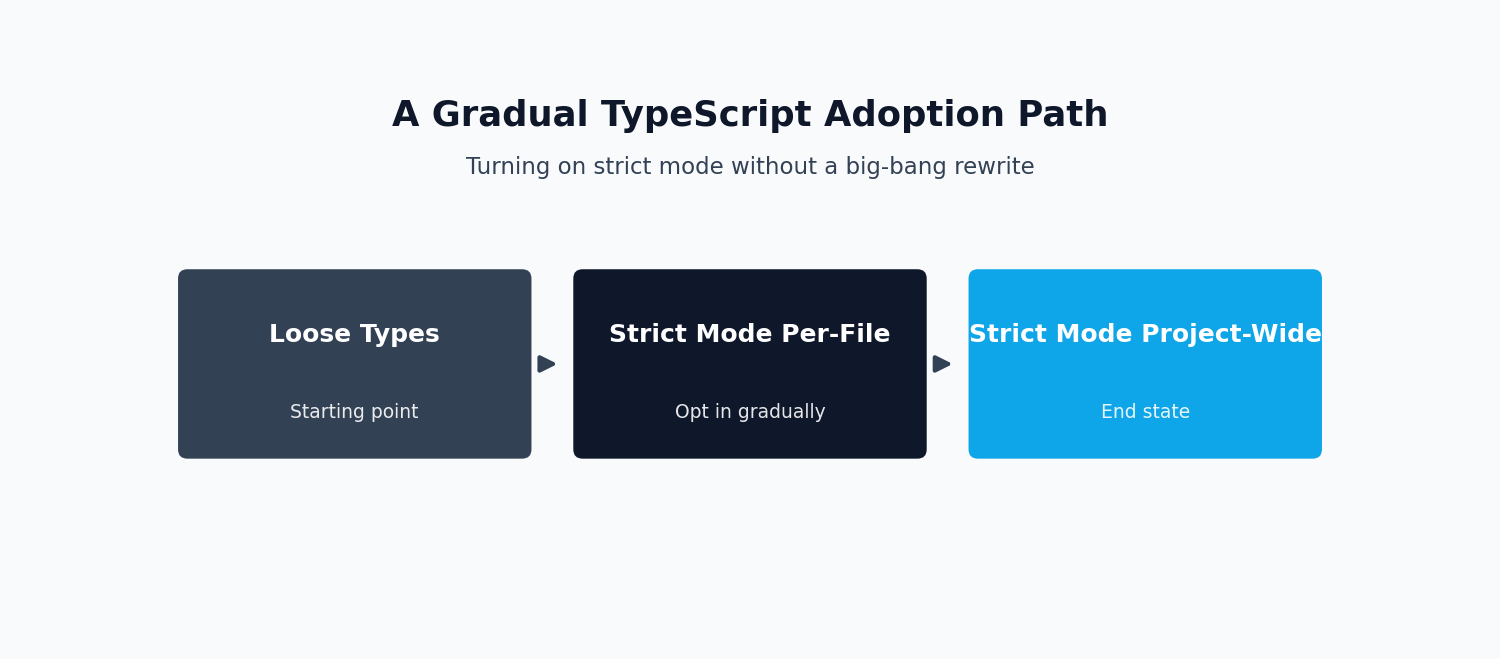
Start by enabling allowJs: true alongside strict: true so plain .js files keep compiling without being type-checked, while any .ts or converted .vue file is held to the strict standard immediately. This lets you convert files incrementally rather than needing one atomic migration touching the entire codebase at once — pair it with checkJs: false explicitly, since some strict presets flip that on by default and will otherwise flood untyped JavaScript files with errors you’re not ready to fix.
Second, use // @ts-expect-error or narrowly scoped any as a deliberate, visible escape hatch rather than disabling strictness globally. A suppressed error on one line is marked debt that shows up in a later code search; a loosened compiler flag is invisible debt that silently weakens every file in the project, including new ones written after the migration supposedly finished.
Third, tackle composables and shared utilities before components. Since components consume composables, typing those first means that by the time you convert a component, much of what it touches — return values from useProduct-style functions — is already typed, and the conversion becomes mostly about props and emits rather than untangling business logic.
Finally, treat vue-tsc errors as a backlog rather than a blocker. It’s reasonable to add vue-tsc --noEmit to CI in a non-blocking, warning-only mode first, track the error count as a metric, and only make it a hard failure once the count reaches zero or a small, deliberately accepted baseline. This avoids the common failure mode where a team enables strict mode, gets hundreds of errors immediately, and reverts out of frustration — after which a second attempt is politically harder than doing it gradually the first time.
Getting strict typing right across a Vue 3 codebase is as much a process decision as a technical one, and it’s an area where an outside perspective — or a team that has done this migration before — tends to save real time compared to working out every gotcha independently. If you’re weighing whether to take this on internally or bring in help, our Vue.js development services cover exactly this kind of TypeScript migration and component architecture work, from initial tsconfig.json setup through gradually converting an existing component library to strict types.
Taken together, these six pieces — Composition API’s natural fit with TypeScript, strict props, strict emits, careful ref typing, typed composables, and a project-wide strict configuration enforced through vue-tsc — form a coherent picture of what TypeScript with Vue 3 looks like when done properly rather than bolted on as an afterthought.
None of it requires exotic tooling beyond what the framework already ships with, and the incremental adoption path means you don’t need a green-field project to get there. Start with the compiler macros in a single new component, get comfortable with the type-based defineProps and defineEmits syntax, extract a composable or two with explicit return types, and the rest tends to follow the same pattern until strict: true stops being a scary flag and becomes just how the codebase works.
For more detail straight from the source, Vue’s own TypeScript guide and the TypeScript documentation are both worth bookmarking as references while you work through a strict-mode migration.
Frequently Asked Questions
Why does TypeScript feel better with Vue 3 than it did with Vue 2?
The Composition API and <script setup> syntax were designed with type inference in mind, unlike the Options API which forced you to type a sprawling this-bound object. With Vue 3, writing a typed component feels closer to writing typed TypeScript functions than fighting the framework’s type system.
How do I get strict types on component props with defineProps?
Use the type-only generic syntax, defineProps<{ propName: type }>(), instead of the runtime object syntax. This gives you full autocomplete and compile-time checking on props without needing separate runtime validation for type safety.
Does typing emits with defineEmits actually catch bugs?
Yes. Typing your emits means TypeScript flags it at compile time if you emit an event with the wrong name or wrong payload shape, instead of silently failing at runtime when a parent component listens for an event that never fires correctly.
Do I need special types for ref() and reactive() state?
Usually TypeScript infers them correctly from the initial value you pass in, but for cases where the initial value doesn’t fully describe the eventual type (like a ref that starts as null but will later hold an object), you need an explicit generic type argument to avoid overly narrow inference.
Can I enable strict mode gradually instead of all at once?
Yes, and it’s the more realistic path for an existing codebase. You can turn on individual strict flags incrementally rather than flipping strict: true project-wide in one commit, which avoids your CI pipeline collapsing under hundreds of new type errors on day one.
What’s the benefit of typing composables specifically?
A well-typed composable gives every component that consumes it full autocomplete on its return values, catching misuse at the call site instead of at runtime. Since composables are reused across many components, a typing mistake there has more leverage than a mistake in a single component.
Need this built or reviewed in production? Hire a senior full-stack developer or explore my AI integration services.
