If you’re building an API in Laravel, you’ll hit this decision in the first week: Sanctum or Passport. The Laravel Sanctum vs Passport question sounds like a minor package choice, but it forces a bigger one — who consumes this API, and how much trust do you need to broker with them? Get it wrong and you spend weeks wiring up an OAuth2 server nobody asked for, or ship a token system that can’t support the third-party integrations your roadmap already promises.
This post skips the brochure summary and goes straight to the production decision: what each package is actually for, where teams misjudge the choice, and how to migrate if you picked wrong.
Quick Answer: Sanctum or Passport?
If you’re skimming, here’s the short version before the full breakdown below.
| Your Situation | Use This | Why |
|---|---|---|
| You control both the frontend (SPA or mobile app) and the API | Sanctum | First-party auth is exactly what Sanctum was built for — no OAuth2 overhead needed |
| Third-party developers or partner companies need to call your API | Passport | You need a real OAuth2 server with client registration and consent screens |
| You just need bearer tokens for a mobile app you built in-house | Sanctum | Personal access tokens cover this without standing up an OAuth2 server |
| You’re building a platform other apps authenticate against (“Sign in with Your App”) | Passport | Delegated authorization and scoped consent require real OAuth2 grant types |
| You want the fastest possible setup for an MVP | Sanctum | One migration and one middleware, versus registering OAuth2 clients and keys |
| A compliance or security review requires spec-compliant OAuth2 | Passport | Built on the League OAuth2 Server — it’s actually OAuth2. Sanctum isn’t |
What Sanctum Actually Is
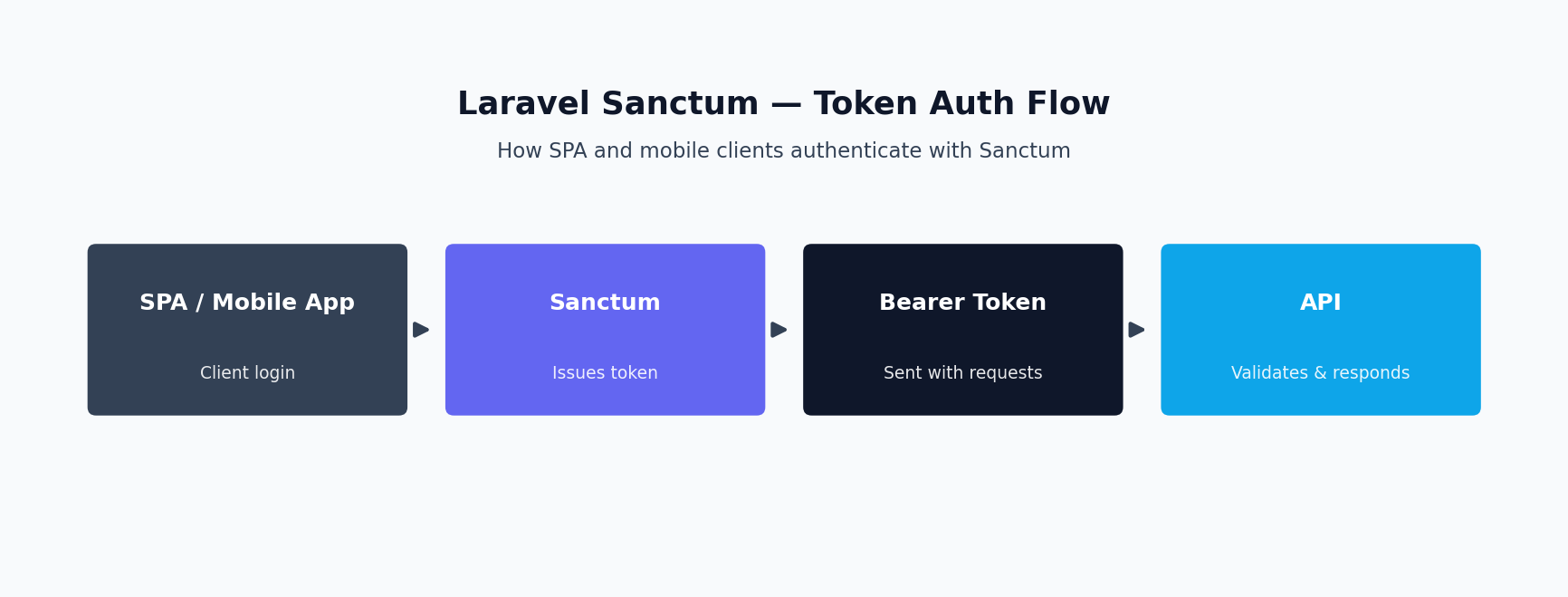
Laravel Sanctum is a lightweight authentication package for two scenarios: “first-party” SPAs or mobile apps — meaning you control both frontend and backend — and simple API token issuance for machine-to-machine use. Sanctum does not implement OAuth2: no authorization server, no consent screen, no client registration. It gives you two mechanisms: stateful, cookie-based session auth for SPAs on the same top-level domain, and a personal_access_tokens table for hashed-at-rest tokens sent as a Bearer header.
That simplicity is the point. Sanctum exists because Passport was overkill for the overwhelming majority of “our own frontend talks to our own API” situations. If you’re building a React or Vue SPA on app.yourcompany.com talking to api.yourcompany.com, or a mobile app only your company ships, Sanctum gets you there with almost no ceremony.
For the authoritative reference on each package, see the official Laravel Sanctum documentation and the Laravel Passport documentation — both are kept current with each Laravel release.
What Passport Actually Is
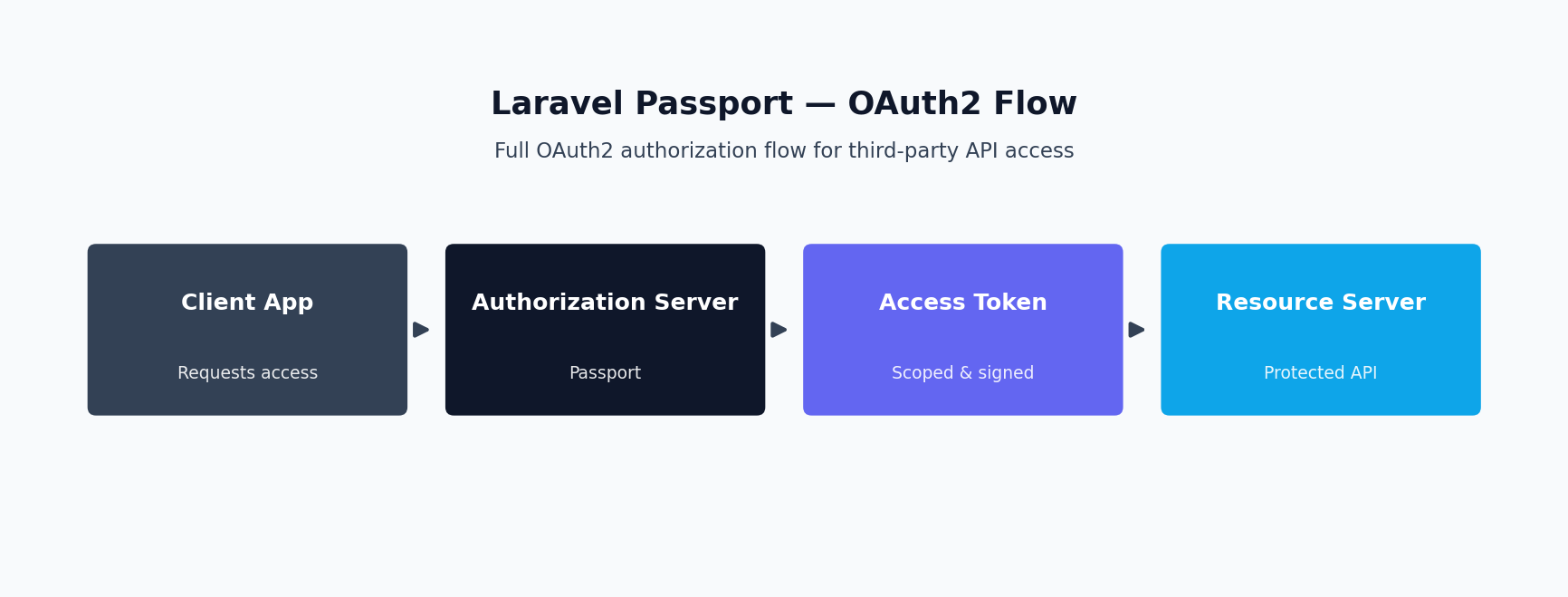
Laravel Passport is a full OAuth2 server implementation built on the League OAuth2 Server package: client registration, authorization codes, refresh tokens, scopes, and token revocation, backed by its own schema. Passport exists for one reason — letting applications you don’t control access your API on a user’s behalf, with that user’s explicit, revocable consent.
That’s a different problem than “my own SPA needs to log in.” If you’ve clicked “Sign in with Google” or authorized a third-party app to read your GitHub repositories, you’ve used an OAuth2 authorization code flow — that’s what Passport lets you build for your own platform. It’s the right tool when your API is itself a platform, not just a backend for your own client.
Fortify and Breeze Aren’t Competing With Sanctum or Passport
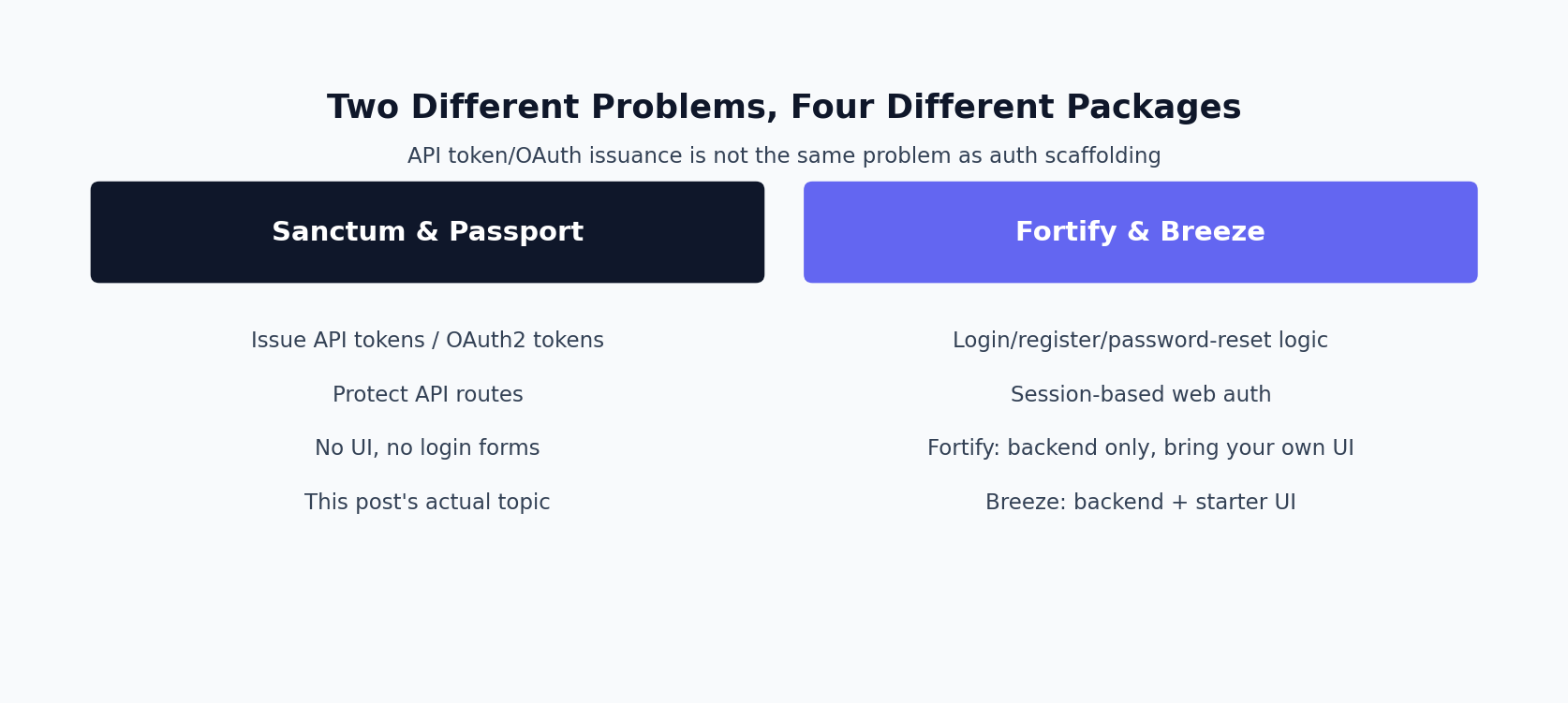
A lot of the confusion behind “sanctum vs passport vs fortify vs breeze” searches comes from treating all four as the same kind of package. They’re not. Sanctum and Passport answer “how does an API authenticate a request.” Fortify and Breeze answer a completely different question: “how does a user log in in the first place.” You can use either pair, both pairs together, or neither — they sit at different layers.
| Package | What It Actually Solves | Pairs With |
|---|---|---|
| Fortify | Backend logic for login, registration, password reset, email verification, and two-factor auth — no UI included | Bring your own frontend (Blade, Vue, Inertia); commonly paired with Sanctum for SPA session auth |
| Breeze | A starter kit: Fortify-style backend plus a working Blade, Livewire, Vue, or React UI, scaffolded in minutes | Ships with Sanctum already wired in for API token support |
| Sanctum | Issues session cookies for SPAs and personal access tokens for mobile/simple API clients | Pairs naturally with Fortify or Breeze for the login screen, then takes over token/session auth |
| Passport | Issues OAuth2 access and refresh tokens for third-party API consumers | Standalone — Passport doesn’t need Fortify or Breeze; it only protects API routes |
The setup you’ll actually see most often in a first-party SPA: Breeze (or Fortify) scaffolds the login form and handles the credentials check, then Sanctum issues the session cookie or token that authenticates subsequent API calls. Passport only enters the picture once you have real third-party consumers to hand tokens to.
SPA Cookie Auth vs API Tokens: Picking the Right Sanctum Mode
Sanctum supports two authentication styles, and picking the wrong one creates real problems.
Cookie-based SPA authentication is for when your SPA and API share the same top-level domain (or are configured as stateful domains). Laravel issues an encrypted, HttpOnly session cookie after login, and Sanctum’s EnsureFrontendRequestsAreStateful middleware authenticates requests from configured SPA domains via the session instead of a token. No token touches your frontend JavaScript, meaningfully reducing XSS attack surface. You still need CSRF protection (via /sanctum/csrf-cookie), but you get the security posture of a server-rendered app with the developer experience of an API-driven SPA.
API tokens are for everything else: mobile apps, CLI tools, server-to-server integrations, and any client that isn’t a browser-based SPA sharing your cookie domain. These are Bearer tokens issued explicitly, stored client-side, and sent in the Authorization header. No CSRF concern, but you now own token storage security on the client — which matters more on mobile than people assume.
The mistake we see most often is teams using API tokens for their own first-party SPA when they didn’t need to. It’s more code, a token has to live somewhere in the browser, and it buys you nothing over cookie-based auth when the frontend and backend are yours and share a domain.
First-Party vs Third-Party Consumers: The Real Decision Point
Strip away the feature comparisons and the Laravel Sanctum vs Passport decision collapses into one question: are the applications calling your API ones you build and deploy, or ones built by other people?
First-party only, and Sanctum is almost always correct. This covers most real projects: a company’s own web app plus its own iOS/Android apps, an internal admin panel hitting an internal API, a SaaS product with a single official client. There’s no scenario here where a user needs to grant a third-party developer’s app limited, revocable access — because there are no third-party developers.
Third-party consumers, and you need Passport (or an equivalent OAuth2 server). This shows up when you’re building a platform with a public API other companies integrate against, a marketplace where partner apps act on a user’s behalf, or any product where “Connect your account” is a real, committed roadmap feature — a mechanism Sanctum has no way to provide.
Make the judgment call explicitly, in writing, at the start of a project: is third-party OAuth committed for the next 6-12 months, or a “maybe someday”? If the latter, build with Sanctum and plan the migration path (below) rather than paying the Passport tax up front for a feature that may never ship.
Before comparing ability systems, it helps to restate the framing: choosing between Sanctum and Passport is ultimately a question of which token model fits your consumer, not which package is “better.”
Token Abilities and Scopes: Similar Idea, Different Weight Class
Both packages let you restrict what a token can do, but the Sanctum vs Passport gap shows up in how much infrastructure sits behind that restriction.
Sanctum’s abilities are lightweight string tags attached to a token at creation time, checked with tokenCan() or the abilities middleware. No central registry, no admin UI, no per-client configuration — just a convention you define and enforce in your own code. Fine for first-party use, since you know every client.
Passport’s scopes are part of a real OAuth2 negotiation: you define them in AuthServiceProvider, a client requests a subset during the authorization flow, and the resulting token carries exactly that grant. Scopes appear on the consent screen a user sees before authorizing a third-party app — “This application wants to: read your profile, create orders on your behalf” — a trust and disclosure mechanism, not just an authorization check. Without that need, Passport’s scope system is more machinery than your app requires.
Mobile App Authentication: Where Teams Overthink It
Mobile is where the Sanctum vs Passport instinct most often points the wrong direction. Developers with an OAuth2 background assume “mobile app” automatically means “need an OAuth2 server,” because that’s the textbook pattern for third-party clients. But if the app is yours — built and published by your own company, authenticating your own users against your own API — it’s a first-party client, regardless of running on a phone instead of a browser.
For first-party mobile apps, Sanctum’s personal access token flow fits: the app posts credentials (or completes a social login) to an endpoint you control, receives a token scoped with whatever abilities it needs, and stores it securely (Keychain on iOS, Android Keystore on Android — never plain local storage). No redirect flow to implement, no client secret to embed insecurely in a compiled binary (a real problem for public OAuth2 clients, since a “secret” baked into an APK isn’t secret).
You need Passport for mobile only when the app itself is a third-party client — for example, a platform letting partner companies build their own branded apps against your backend, each with its own client credentials and consent flow. That’s materially different from shipping one app for your own product.
Grant type selection is where this decision gets concrete — most teams evaluating the two, whether building authentication solutions for mobile client applications or traditional web applications, only need one or two of Passport’s supported flows.
OAuth2 Grant Types Passport Supports (and When You Actually Need Them)
Passport supports the full set of standard OAuth2 grants, but most projects only ever need one or two.
Authorization code grant is the standard flow for third-party apps where a user logs in and explicitly consents. The user is redirected to your authorization endpoint, approves the requested scopes, and the client exchanges a returned code for an access and refresh token. Use the PKCE variant for public clients (mobile app, SPA) that can’t securely hold a secret. This is the grant you need if “other developers build apps against our API with user consent” is a real requirement.
Password grant lets a trusted first-party client exchange a username and password directly for a token, no redirect required. It’s tempting for its simplicity, but it requires the client to handle raw credentials, defeating a core security purpose of OAuth2 — that third-party apps never see the password. Laravel’s docs have moved away from recommending it; reaching for it usually signals you should be using Sanctum instead, which accomplishes the same first-party goal with no OAuth2 overhead.
Client credentials grant is for machine-to-machine auth with no user in the loop — a server syncing data, a scheduled job pulling reports, a partner’s backend hitting yours. It’s useful outside the third-party consent story too, giving you a clean, revocable credential for backend integrations. If this is the only grant your project needs, pause before reaching for Passport — Sanctum’s API tokens serve the same “service account” purpose with far less setup, unless a partner’s tooling expects OAuth2-standard client registration and rotation.
Code: Sanctum SPA Authentication Setup
Configure your stateful domains and session driver, then guard your API routes with Sanctum’s middleware:
// config/sanctum.php
'stateful' => explode(',', env(
    'SANCTUM_STATEFUL_DOMAINS',
    'localhost,localhost:3000,app.yourcompany.com'
)),
'guard' => ['web'],

// bootstrap/app.php (Laravel 11+)
->withMiddleware(function (Middleware $middleware) {
    $middleware->statefulApi();
})

// routes/api.php
Route::middleware('auth:sanctum')->group(function () {
    Route::get('/user', fn (Request $request) => $request->user());
});

// Login: issues a session, not a token
public function login(Request $request)
{
    $request->validate(['email' => 'required|email', 'password' => 'required']);

    if (! Auth::attempt($request->only('email', 'password'))) {
        throw ValidationException::withMessages(['email' => ['Invalid credentials.']]);
    }

    $request->session()->regenerate();

    return response()->json(['user' => Auth::user()]);
}
Your SPA hits GET /sanctum/csrf-cookie before login to prime CSRF protection, then submits the login form with withCredentials: true (Axios) or credentials: 'include' (fetch) on every request so the session cookie is sent automatically.
Code: Sanctum API Token Issuance with Abilities
For mobile clients and non-browser consumers, issue explicit personal access tokens scoped with abilities:
public function login(Request $request)
{
    $request->validate([
        'email' => 'required|email',
        'password' => 'required',
        'device_name' => 'required|string',
    ]);

    $user = User::where('email', $request->email)->first();

    if (! $user || ! Hash::check($request->password, $user->password)) {
        throw ValidationException::withMessages(['email' => ['Invalid credentials.']]);
    }

    // Scope the token to what this client can do
    $token = $user->createToken(
        $request->device_name,
        ['orders:read', 'orders:create', 'profile:read']
    );

    return response()->json(['token' => $token->plainTextToken]);
}

// Revoke one token (logout)
public function logout(Request $request)
{
    $request->user()->currentAccessToken()->delete();

    return response()->noContent();
}

// Revoke all tokens (password reset)
$user->tokens()->delete();
The mobile client stores plainTextToken securely and sends it as Authorization: Bearer {token} on subsequent requests. Note that the plain text value is only ever available at creation time — Sanctum stores a SHA-256 hash in the database, so treat that response as the one chance the client gets to capture it.
Code: Passport Client Credentials Grant Setup
For machine-to-machine integrations where a partner’s backend authenticates without a user in the loop:
// php artisan passport:install, then:
php artisan passport:client --client

// AuthServiceProvider.php
use Laravel\Passport\Passport;

public function boot(): void
{
    Passport::tokensCan([
        'reports:read' => 'Read partner reports',
        'orders:sync' => 'Sync order data',
    ]);
}

// routes/api.php
Route::middleware([
    'client',
    'scope:reports:read',
])->get('/partner/reports', [ReportController::class, 'index']);
The partner’s server requests a token directly, with no browser redirect involved:
curl -X POST https://api.yourcompany.com/oauth/token \
  -d grant_type=client_credentials \
  -d client_id={client-id} \
  -d client_secret={client-secret} \
  -d scope="reports:read orders:sync"
Passport issues a token tied to that client and scope set, which the partner sends as a Bearer token on subsequent calls, and which you can revoke independently if the integration is decommissioned.
Code: Protected Routes with Ability/Scope Checks
Here’s the same “only allow reading orders, not creating them” requirement enforced in both packages, side by side:
// Sanctum - controller check
public function index(Request $request)
{
    if (! $request->user()->tokenCan('orders:read')) {
        abort(403, 'Missing ability: orders:read');
    }

    return OrderResource::collection($request->user()->orders()->paginate());
}

// Sanctum - route-level check
Route::middleware(['auth:sanctum', 'ability:orders:read'])
    ->get('/orders', [OrderController::class, 'index']);

// Passport - identical tokenCan() check, different guard/route middleware
Route::middleware(['auth:api', 'scope:orders:read'])
    ->get('/orders', [OrderController::class, 'index']);
The application-level code is nearly identical — tokenCan() exists on both token classes. The real difference is upstream: how the token got issued, whether a consent screen was involved, whether the scope was negotiated with a client the user doesn’t control.
Comparison Table
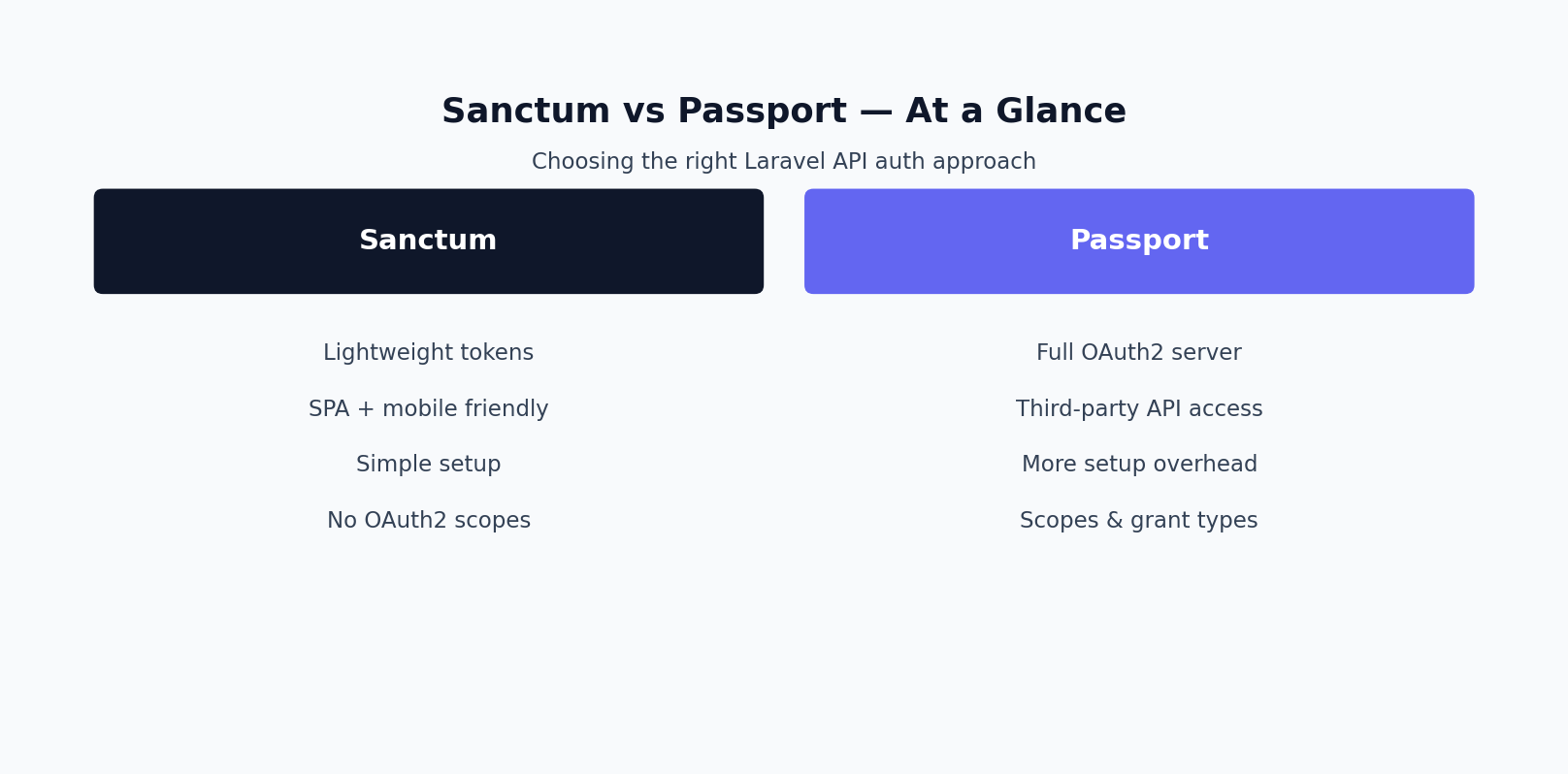
The table below lays out the Sanctum vs Passport tradeoffs side by side.
| Factor | Sanctum | Passport |
|---|---|---|
| Use case fit | First-party SPA, mobile app, or simple API tokens | Third-party OAuth2 clients, platform APIs, delegated access |
| Setup complexity | Low — one migration, one middleware, minutes to configure | Higher — client registration, key generation, grant configuration |
| OAuth2 compliance | None — not an OAuth2 implementation | Full — built on League OAuth2 Server, spec-compliant |
| Token type | Session cookie (SPA) or personal access token (Bearer) | OAuth2 access/refresh tokens, JWT-based |
| Third-party app support | Not supported — no consent flow or client registry | Core feature — authorization codes, consent screens, client management |
| Typical use case | Company’s own SPA + mobile app talking to its own API | Public API platform where partners build integrations with user consent |
Migration is the part of this conversation teams underestimate — moving between Sanctum and Passport mid-project is rarely as simple as swapping middleware.
Migrating Between Sanctum and Passport
Both packages expose an authenticated User model and support tokenCan()-style checks, so migrating between them touches less code than people expect — the pain sits almost entirely in the authentication layer, not your business logic.
Moving from Sanctum to Passport (the more common direction, when a third-party integration requirement finally lands) generally means:
- Install Passport alongside Sanctum — first-party clients keep using Sanctum while you build the OAuth2 flow for the new use case.
- Run
passport:installto generate encryption keys and register your first OAuth2 clients. - Define scopes in
AuthServiceProviderthat mirror your existing Sanctum abilities, sotokenCan()checks barely change. - Build the authorization code flow (login and consent UI) only for the new surface — the existing SPA and mobile app don’t need it.
- Keep both guards registered in
config/auth.phplong-term if needed; nothing requires picking one package for the whole app.
Moving from Passport to Sanctum (less common, but real — usually when Passport was adopted speculatively and the requirement never materialized) generally means:
- Auditing which OAuth2 clients are actually first-party versus external — often it’s 100% first-party, the signal you over-built.
- Replacing the authorization code flow with Sanctum’s direct token issuance or cookie-based auth.
- Migrating ability names from Passport scopes to Sanctum abilities — the strings usually stay identical.
- Removing Passport’s
oauth_*tables, routes, and the package itself, shedding key-rotation and client-secret maintenance.
Both directions are far less risky if your controller-level authorization checks stayed decoupled from the specific package — good practice regardless of which one you start with.
To recap the decision framework: pick Sanctum for first-party single page applications and mobile apps you control, and reach for Passport only when you need full OAuth2 support for third-party consumers.
A Decision Framework
Cut through the Sanctum vs Passport debate with three questions, answered honestly about your actual roadmap, not a hypothetical future:
- Will an app you don’t build or control need a user’s permission to access your API? If yes, and it’s a committed near-term requirement, you need Passport. If it’s a “maybe” with no spec, start with Sanctum and revisit later.
- Is every client — web, mobile, CLI — something your own team ships? If yes, Sanctum covers it: cookies for the SPA, tokens for mobile and machine clients.
- Do you need a consent screen, client registry, or revocation UI for external developers? That’s Passport’s actual value proposition. If nobody outside your organization will see an “Authorize this app” screen, you don’t need it.
The pattern we see most often: teams reach for Passport on day one because “OAuth2” sounds like the correct answer, then spend weeks maintaining an authorization server for a product with one first-party client. The inverse mistake is rarer but pricier to fix — building on Sanctum, shipping a partner integrations feature, and discovering there’s no clean way to grant scoped, consented access without building an OAuth2 server on top of Sanctum anyway. Answer these three questions before writing the first line of authentication code.
This choice is easy to reverse early and expensive to reverse late. If your Sanctum vs Passport decision was made a year ago and no longer fits your roadmap, the migration paths above exist precisely so a wrong call is not a permanent one.
In short, this choice comes down to your consumer type, not raw feature count — revisit the comparison whenever you add a new API consumer to the mix.
Token Security: What to Get Right Regardless of Which You Pick
The Sanctum vs Passport decision gets most of the attention, but a token system misconfigured on either side is what actually gets exploited in production. A few things worth getting right no matter which package you land on:
- Enforce HTTPS everywhere. Sanctum’s cookie-based SPA auth and Passport’s Bearer tokens are both vulnerable to interception on plain HTTP. This isn’t optional in production.
- Set an actual expiration. Sanctum personal access tokens don’t expire by default — set
expirationinconfig/sanctum.phpif you want one. Passport access tokens default to a long lifetime unless you tightentokensExpireIn()andrefreshTokensExpireIn()in yourAuthServiceProvider. - Scope every token narrowly. Don’t issue all-access tokens out of habit. Use Sanctum abilities or Passport scopes so a leaked token only grants what that specific client actually needs.
- Store tokens correctly on the client. For SPAs, prefer httpOnly, SameSite cookies over localStorage — localStorage is readable by any injected script. For mobile apps, use the platform keychain/keystore, not plain shared preferences or UserDefaults.
- Build in revocation from day one. Both packages support deleting tokens; expose a real “log out this device” or “revoke this client’s access” path instead of only handling expiration.
- Rate-limit your token issuance endpoints. Login and token-exchange routes are brute-force targets. Throttle them the same way you’d throttle any other public auth endpoint.
Common Scenarios, Straight Answers
Can I use Sanctum and Passport in the same Laravel app?
Yes. It’s a common setup when a product has both a first-party SPA/mobile app and a public API for third-party developers — Sanctum handles the former, Passport the latter, and they don’t conflict since they use separate guards and token formats.
Do I need Passport just to add “Login with Google” or GitHub?
No. Social login is handled by Laravel Socialite, a completely separate package. Passport is for issuing your own OAuth2 tokens to consumers of your API, not for consuming someone else’s OAuth provider.
My mobile app is first-party. Do I still need a full OAuth2 server?
No. This is the single most common over-engineering mistake in this decision. If you built the mobile app and you’re not handing out access to other companies, Sanctum’s personal access tokens cover it with a fraction of the setup.
A partner company wants to integrate with our API. Sanctum or Passport?
Passport. Once there’s a real trust boundary — a third party you don’t control requesting scoped access to a user’s data — you need OAuth2’s client registration, consent, and scope model, which is what Passport provides.
Can I migrate from Passport to Sanctum without breaking existing integrations?
Only if none of your current consumers are genuine third-party OAuth2 clients. If external parties already depend on your OAuth2 authorization code or client credentials flow, you can’t drop Passport without breaking them. See the migration section above for a safe path.
Which one adds less overhead in production?
Sanctum, by a wide margin. There’s no OAuth2 server to run, no client/grant management, and validation is a lightweight middleware check rather than a full authorization code exchange.
Closing Thoughts
Sanctum and Passport aren’t competing implementations of the same feature — they solve different trust problems. Sanctum assumes you trust every client because you built it; Passport exists for the moment you don’t. Most Laravel APIs, including ambitious ones, are first-party-only and should stay on Sanctum for as long as that remains true. If your API is genuinely becoming a platform with external integrators, Passport’s OAuth2 machinery earns its complexity. If you’re weighing this decision on a real project, our team offers Laravel API development services and can help you scope the authentication layer correctly before you build around the wrong assumption.
Frequently Asked Questions
Should I use Sanctum or Passport for a simple SPA or mobile app?
Sanctum is usually the better fit for a first-party SPA or mobile app, it’s lighter weight and purpose-built for that case, whereas Passport is designed for full OAuth2 scenarios like third-party API access.
Do I need OAuth2 for my Laravel API?
Only if you need to grant access to third-party applications with scoped permissions and token grants. If all API consumers are your own frontend and mobile apps, Sanctum’s simpler token model is normally sufficient.
Can I switch from Passport to Sanctum later if I over-provisioned?
Yes, it’s a common migration path since Sanctum covers the first-party use case with far less configuration, though existing OAuth2 clients would need to be re-implemented against Sanctum’s token model.
Does Sanctum support multiple frontends (web and mobile) at once?
Yes, Sanctum supports both cookie-based session authentication for a same-domain SPA and API token authentication for mobile apps or separate-domain clients, from the same package.
Which one is easier to set up?
Sanctum has a significantly smaller setup surface, typically a single migration and a few lines of middleware configuration, while Passport requires configuring OAuth2 clients, grants, and scopes.
Is Passport still maintained and worth using in 2026?
Yes, Passport remains the right tool specifically when you need full OAuth2 (for example, letting third-party developers build against your API), it isn’t being deprecated, it’s just solving a different, more complex problem than Sanctum.
Sanctum vs Passport: What’s the One-Line Difference?
Sanctum is lightweight token and cookie authentication for apps you control end-to-end, like your own SPA or mobile app. Passport is a full OAuth2 server for issuing access to third parties, with client registration, scopes, and consent screens. If you’re not building “Sign in with Your App” for outside developers, you want Sanctum.
Passport vs Sanctum: Which Should a New Laravel Project Start With?
Start with Sanctum unless you already know you need OAuth2 grant types, like authorization code or client credentials, for third-party integrations. It’s one migration and one middleware to set up, versus registering OAuth2 clients and managing keys. You can add Passport later if your requirements grow into real delegated authorization.
Need Help Implementing This?
If you’d rather have an experienced hand build or review this for you, see our guide on hiring a Laravel developer, or browse real case studies of production Laravel systems we’ve built.
Need this built or reviewed in production? Hire a senior full-stack developer or explore my AI integration services.
