Short answer: Structure a Vue 3 and Laravel app by first choosing the architecture that fits your team (for example, how the frontend and backend are split and how authentication works), then keep the data contracts and conventions consistent as the project grows.
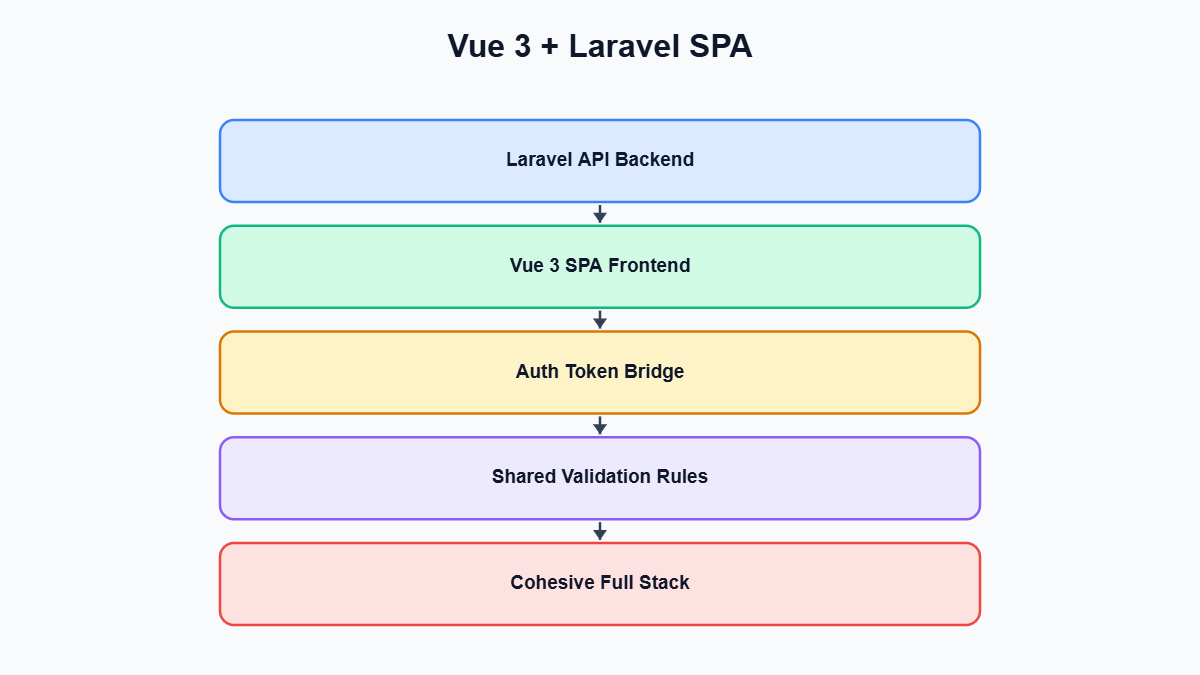
Vue 3 and Laravel is one of the most common full-stack pairings we see teams reach for, and it’s also one of the pairings where the very first architectural decision quietly shapes everything that follows. Before a single component gets written, someone on the team has to answer a deceptively simple question: how exactly do Vue and Laravel talk to each other? Do you build a fully decoupled single-page application that treats Laravel as a pure JSON API, do you let Inertia.js glue the two together so it feels like a monolith while behaving like an SPA, or do you keep Blade as the primary rendering layer and sprinkle in Vue components where you need interactivity? Each answer leads to a different authentication model, a different repository layout, a different way of thinking about API contracts, and a different amount of boilerplate you’ll be maintaining a year from now. This post walks through the three viable architectures, the tradeoffs that actually matter in practice, and the patterns we default to when structuring these projects for clients.
Vue 3 and Laravel Architecture Options and Their Tradeoffs
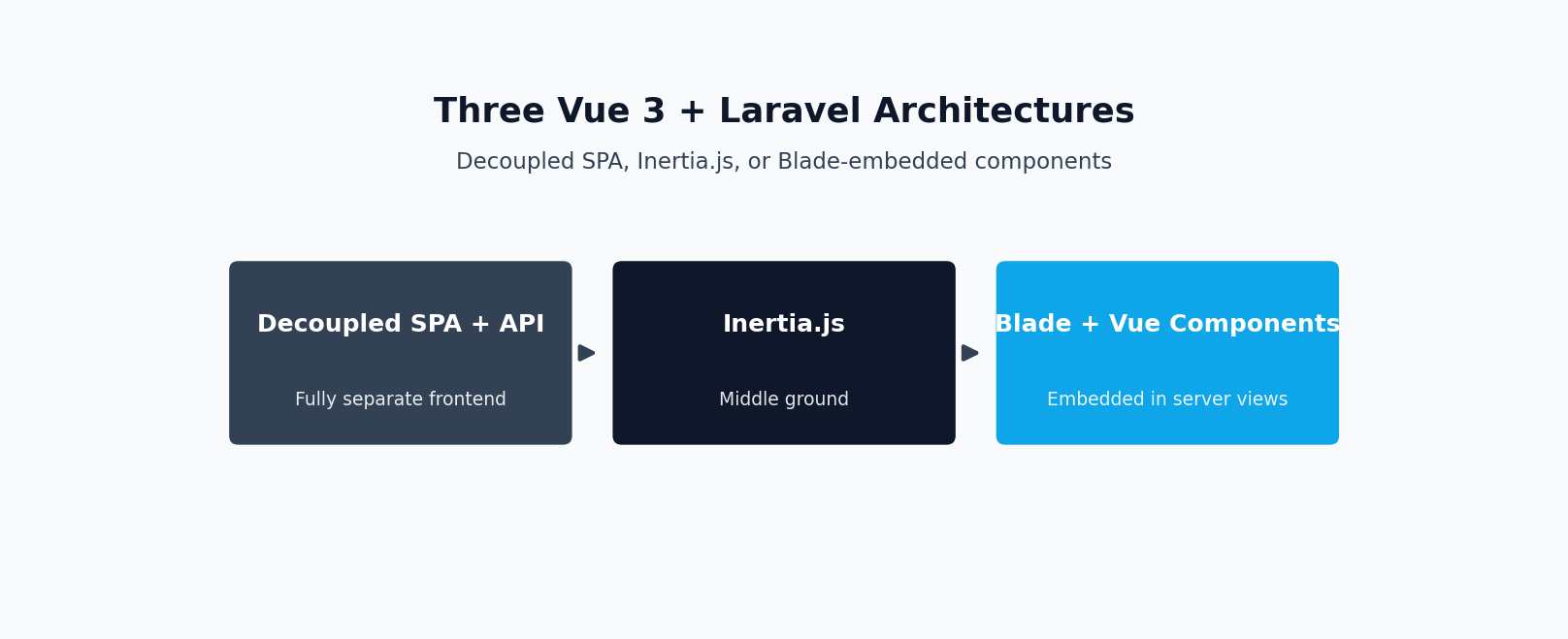
Almost every Vue 3 and Laravel project falls into one of three buckets. Understanding the tradeoffs up front saves you from a painful mid-project rewrite.
Decoupled SPA with a Laravel API-only backend
In this model, Laravel is stripped down to routes/api.php, controllers that return API Resources, and not much else. Vue lives in a completely separate codebase, built with Vite, and talks to Laravel exclusively over HTTP using a library like Axios or the native fetch API. The two applications are deployed independently, potentially on different domains or subdomains, and communicate purely through JSON.
The appeal is obvious: total separation of concerns, independent scaling and deployment, and the option to eventually build a mobile app against the same API without touching backend code. The cost is equally real: two build pipelines, two deployment processes, CORS configuration, and a data contract maintained by hand across codebases that don’t share types unless you go out of your way to generate them. For a small team building an internal tool, this is often more infrastructure than the project needs.
Inertia.js as the middle ground
Inertia.js occupies a genuinely useful middle position. It lets Laravel controllers return Vue components directly, passing data as props, without exposing a general-purpose JSON API and without giving up client-side routing or the SPA feel. There’s no separate API layer to design, no token management, and no CORS to configure, because Inertia requests are same-origin and Laravel’s session-based authentication just works. You still write Vue components and get client-side navigation and reactivity, but the “API” is really just your existing controllers returning structured props instead of Blade views.
The tradeoff is coupling. Inertia pages are tied to specific Laravel routes and controllers, which means this pattern doesn’t work well if you also need a public API for third parties or a native mobile client. It’s also a Laravel-and-Vue-specific tool, so if you ever need to peel the frontend away from Laravel entirely, you’ll be doing real rework. For most business applications, admin panels, and internal dashboards, though, this is the option that gets you to a good result the fastest, and it’s the one we reach for most often when a client has no concrete reason to need a standalone API.
Vue components embedded in Blade views
The third option keeps Laravel and Blade as the primary rendering engine and drops individual Vue components into specific pages for interactive widgets: a live search box, a drag-and-drop file uploader, a dynamic form section. There’s no client-side router, no global app state spanning pages, and each Vue instance is scoped to a small piece of the DOM.
This is the right call when most of an application is genuinely static or form-driven and only a handful of pages need real interactivity. It keeps the learning curve low for a team more comfortable in PHP than JavaScript, and avoids the overhead of a full SPA for content that doesn’t need one. The downside is that it doesn’t scale gracefully: as soon as more pages need Vue, you get duplicated component registration, inconsistent state management between islands, and a codebase that’s neither a clean monolith nor a clean SPA. Teams considering serious Vue.js development beyond a couple of widgets usually outgrow this pattern within a few months and migrate to Inertia or a decoupled SPA anyway, so it’s worth being honest early about how much interactivity the product actually needs.
Authentication Patterns for Each Approach
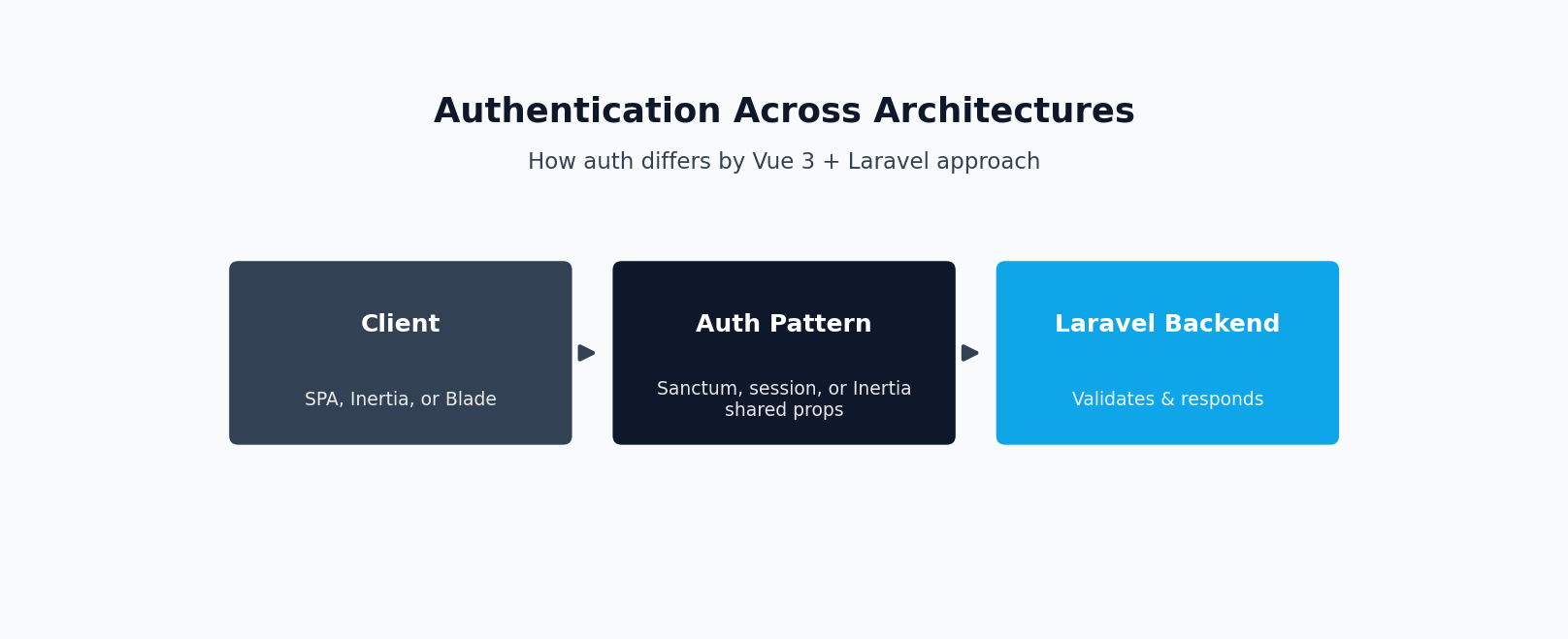
Authentication is where the three architectures diverge most sharply, and it’s also where we see the most confusion in practice, particularly when teams try to bolt token-based auth onto an Inertia app or session auth onto a decoupled SPA.
For a decoupled SPA, the standard approach is Laravel Sanctum’s SPA authentication mode. This is not token authentication in the traditional sense; instead, Sanctum issues a cookie-based session the SPA can use, provided the frontend and backend share a top-level domain (or you configure Sanctum’s stateful domains appropriately). The flow is: the SPA first hits a CSRF cookie endpoint, then submits credentials to a login route, and from that point the browser automatically attaches the session cookie to subsequent requests. This gives you CSRF protection and the security properties of Laravel’s normal session guard, while still working cleanly for a JavaScript frontend built and deployed separately from the backend. The stateful domain configuration is a common source of bugs, especially in local development where the frontend and backend run on different ports, so it’s worth reading the docs closely before implementing it.
If your SPA genuinely needs to be consumed by mobile apps or third-party clients in addition to the browser-based frontend, Sanctum also supports classic API tokens, issued per-device and sent as a bearer token on each request. It’s reasonable to mix both patterns in one Sanctum installation: cookie-based sessions for your own first-party SPA, and tokens for anything else that needs API access.
Inertia sidesteps almost all of this complexity. Because Inertia requests are just regular requests to your Laravel routes, rendered as JSON responses instead of HTML, authentication is exactly what it would be in a traditional Blade application. You use Laravel’s normal web guard, your existing Auth::routes() or Breeze/Fortify scaffolding, and standard session cookies. There’s no CSRF cookie dance to implement manually and no separate stateful domain configuration, because the frontend was never actually separate from the backend’s session in the first place. This is one of the more underrated benefits of Inertia: teams that don’t need a public API get to skip an entire category of authentication bugs simply by not introducing the problem in the first place.
For Vue islands embedded in Blade, authentication barely needs to be discussed as a separate concern. The Blade page that renders the Vue component is already behind whatever session-based middleware protects the route, and the Vue component can simply read a CSRF token from a meta tag for any POST or PATCH requests it makes back to Laravel. There’s no independent auth state to manage on the frontend at all.
Structuring the Repo (or Repos)
Repository layout follows fairly directly from the architecture you’ve chosen, but it’s worth being deliberate about it rather than defaulting to whatever the starter kit does.
With Inertia or Vue-in-Blade, a monorepo is almost always the right call, and in practice it’s not even really a choice: Inertia pages live inside the Laravel project’s resources directory, Vite is configured through Laravel’s own vite.config.js, and the whole thing builds and deploys as a single artifact. This gives you one CI pipeline, one set of environment variables, and no version-skew risk between frontend and backend, since they’re always deployed together. The only real downside is that PHP and JavaScript tooling live side by side, which some teams find noisy, but this is a minor cost compared to what you gain in deployment simplicity.
For a decoupled SPA, both monorepo and separate-repo layouts are legitimate, and the right choice depends more on deployment target and team structure than on any technical requirement of Vue or Laravel. A monorepo with two top-level directories (say, api/ and frontend/) keeps everything discoverable, makes it easy to open one pull request that touches both sides of a contract change, and simplifies local development since a single clone gets you the whole system. The tradeoff is that CI has to be smart enough to only rebuild the parts that changed, so you’ll want path-based triggers rather than rebuilding both apps on every commit.
Separate repositories make sense when the frontend and backend genuinely have independent release cadences, different teams own each side, or the API needs to serve multiple frontends that shouldn’t share a versioning scheme. The cost is coordination overhead: a breaking API change now requires two pull requests in two repos, and you lose the ability to review a full-stack change in one diff. We generally recommend separate repos only once you have a concrete reason for the split, not as a default, since the coordination tax is easy to underestimate before you’ve felt it.
Whichever layout you choose, decide early where environment configuration and shared constants live. It’s common for teams to end up duplicating enum values or status strings between the Laravel backend and the Vue frontend, which quietly drifts out of sync over time. A monorepo makes it easier to generate shared TypeScript types from Laravel enums or API Resources as part of the build; in a split-repo setup this usually means publishing a small internal package, or simply being disciplined about a single source of truth reviewed on both sides.
API and Data Contract Design Between Vue and Laravel
The data contract between Vue and Laravel is the part of the system most likely to silently rot if you don’t set conventions early. The core discipline, regardless of architecture, is to never let a controller return raw Eloquent models. Always pass responses through Laravel’s API Resources, even for a decoupled SPA’s simplest endpoints. Resources give you a stable, explicit shape for your JSON output that’s decoupled from your database schema, which matters enormously once you add a computed attribute, rename a column, or eager-load a relationship differently. Without that layer, any change to a model’s attributes silently changes what the frontend receives, and those breakages tend to surface as confusing runtime errors in Vue rather than clear failures in Laravel.
For a decoupled SPA, standardize a handful of things across every endpoint: consistent pagination metadata (Laravel’s paginator resource format is a reasonable default), a consistent envelope for single resources and collections, and consistent naming for dates, booleans, and nullable fields. It’s tempting to let each endpoint evolve its own shape based on what a specific Vue component needs, but that’s exactly how contract drift creeps in. A lightweight but effective practice is a single source-of-truth document (even just resource class docblocks) describing each endpoint’s response shape, treating any change to a Resource class as something requiring a corresponding frontend check, ideally caught by a typed API client or integration test rather than discovered by a user.
Inertia changes this calculus in a genuinely nice way. Because the controller and the page component are tightly coupled by design, you’re not maintaining a general-purpose contract at all — you’re just deciding what props a specific Vue page needs and returning exactly that from the corresponding controller method. There’s no intermediate API surface to keep generic or versioned, since nothing outside that one route is consuming the response. This removes an entire class of contract-drift bugs, at the cost of that same tight coupling meaning the “contract” isn’t reusable elsewhere. A basic Inertia controller method looks like this:
namespace App\Http\Controllers;

use App\Http\Resources\ProjectResource;
use App\Models\Project;
use Inertia\Inertia;

class ProjectController extends Controller
{
    public function index()
    {
        $projects = Project::query()
            ->with('owner')
            ->latest()
            ->paginate(15);

        return Inertia::render('Projects/Index', [
            'projects' => ProjectResource::collection($projects),
            'filters' => request()->only(['search', 'status']),
        ]);
    }
}
Note that even here, we’re still using an API Resource to shape the projects prop. That’s a good habit to keep even with Inertia: it keeps the transformation logic in one testable place, prevents accidental exposure of sensitive model attributes, and makes the eventual addition of a real API (if the product ever needs one) much less of a rewrite. The corresponding Vue page simply receives projects and filters as props, fully typed if you’re using TypeScript and generating types from your Resource classes, with no separate fetch call required.
Handling Form Validation and Error Display Consistently
Validation errors are the boundary case where a mismatched contract causes the most visible pain, because they show up directly in front of users as broken or missing error messages. Laravel’s default validation failure response is a 422 status code with a JSON body shaped like {"message": "...", "errors": {"field": ["error one", "error two"]}}, where each key in errors maps to an array of one or more human-readable messages for that field. This format is consistent whether the failure comes from a Form Request class or an inline $request->validate() call, which makes it a reliable contract to build frontend tooling around.
Inertia actually formats this slightly differently on the frontend once it reaches Vue: it flattens each field’s error array down to a single string and exposes it through a reactive errors object on the page component, accessible via usePage().props.errors or through the errors prop when using Inertia’s form helper. If you’re using Inertia’s useForm composable, validation errors are attached automatically after a failed submission, and you can bind them directly in the template without writing any error-handling logic yourself.
For a decoupled SPA talking to Laravel over Axios, you don’t get that for free, so it’s worth writing one small composable and reusing it everywhere rather than handling 422 responses ad hoc in every component. Something like this covers the common case cleanly:
import { ref } from 'vue'
import axios from 'axios'

export function useFormErrors() {
  const errors = ref({})
  const processing = ref(false)

  async function submit(url, payload, method = 'post') {
    errors.value = {}
    processing.value = true

    try {
      const response = await axios[method](url, payload)
      return response.data
    } catch (error) {
      if (error.response && error.response.status === 422) {
        errors.value = error.response.data.errors
      } else {
        throw error
      }
    } finally {
      processing.value = false
    }
  }

  function fieldError(field) {
    return errors.value[field] ? errors.value[field][0] : null
  }

  return { errors, processing, submit, fieldError }
}
Used in a component, this lets you write <span v-if="fieldError('email')">{{ fieldError('email') }}</span> under each input without duplicating try/catch blocks and status-code checks across every form. The key design decision is that the composable treats Laravel’s errors object as the source of truth rather than inventing a parallel client-side validation schema. Duplicating validation rules in Vue can feel like it improves user experience through instant feedback, but it also means two places define “is this email valid,” and they will eventually disagree. When teams want instant client-side feedback, it’s worth limiting duplicated rules to the cheap, obvious ones and always deferring to the server’s response as final.
One more detail worth standardizing regardless of architecture: decide once, as a team, whether error messages come from Laravel’s default validation strings or custom messages defined in Form Request classes, and keep that consistent across the API. Inconsistent tone between endpoints is a small thing, but it’s the kind of small thing that makes an application feel unpolished, and it costs nothing to fix by standardizing Form Request messages early rather than after user complaints roll in.
Choosing the Right Vue 3 and Laravel Architecture for Your Team
There’s no universally correct answer among these three patterns, but there is usually a clearly correct answer for a specific project, and it’s worth resisting the urge to default to whatever’s trendiest. If you need a public API, multiple client applications, or strong separation between frontend and backend teams, the decoupled SPA with Sanctum is the right amount of complexity, not excess complexity. If you’re building a single web application with one team owning both ends, Inertia will very likely get you to a better result faster, with fewer moving parts and fewer categories of bugs to worry about, since it removes the API layer as a separate thing to design and version. And if most of your application is genuinely content-driven with only isolated pockets of interactivity, embedding Vue components in Blade is a legitimate, low-overhead choice, not a compromise you should feel bad about.
The mistake we see most often isn’t picking the “wrong” architecture in some absolute sense, it’s picking one architecture’s frontend patterns while implementing another architecture’s backend patterns — most commonly building a general-purpose versioned API and then only ever consuming it from a single Inertia-style coupled frontend, which produces all the maintenance overhead of a decoupled SPA without any of the benefits. Decide up front what your Laravel backend actually needs to serve, choose the matching pattern for authentication and data contracts, and keep that decision consistent as the project grows. That consistency, more than any individual technical choice, is what determines whether a Vue and Laravel codebase is still pleasant to work in eighteen months after launch.
Need Help Implementing This?
If you’d rather have an experienced hand build or review this for you, see our guide on hiring a Laravel developer, or browse real case studies of production Laravel systems we’ve built.
Need this built or reviewed in production? Hire a senior full-stack developer or explore my AI integration services.
