Comparing Vue.js development services and want the honest version? If you’ve spent any time looking for a Vue developer, you’ve probably noticed that most people offering “Vue.js development services” are frontend specialists, full stop. They know Composition API, they can build a beautiful SPA — and then they hand off to whatever backend team exists, or they consume whatever API they’re given, and build around its limitations.
I don’t work that way. My day-to-day is Laravel, Node.js, and ASP.NET Core on the server side, paired with Vue 3, React, and Next.js on the client side. On most of my projects, I’m either building both halves or working closely enough with the backend that I can push back on an endpoint design before it gets baked in.
A frontend developer who only sees the API as a fixed contract has to build around whatever shape it hands them — more loading spinners, more defensive null-checking, more round trips than necessary. A developer who can also touch the backend can shape the response to match what the screen actually needs: batch a few endpoints into one, add the fields that make an optimistic update possible, restructure a paginated response so the UI doesn’t have to guess at loading state.
This page covers what I build with Vue — SPAs, Nuxt apps, state management with Pinia, testing with Vitest, and Laravel + Inertia stacks — along with real project work on Custimoo, WingWarranty, and Seers, and a straight answer on when Vue makes more sense than React, and when it doesn’t.
Vue.js Development: What I Build
Vue 3 SPAs & Composition API Patterns
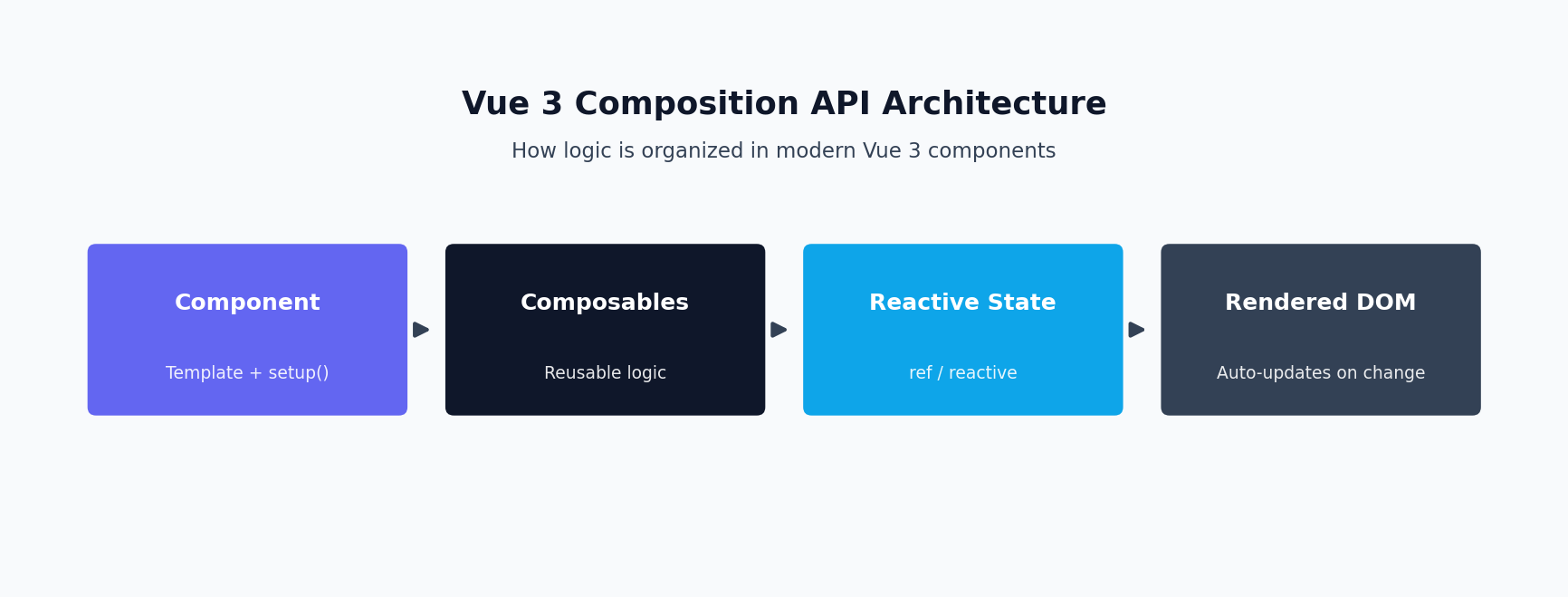
Most new Vue work I do is Composition API, <script setup>, and TypeScript by default. The real value of Composition API isn’t the syntax, it’s composables — pulling stateful logic (a paginated list, a WebSocket connection, a form with validation) out of a component and into a reusable function that multiple components can share without prop-drilling.
I organize a Vue codebase around a composables/ directory early — useAuth, usePagination, useForm, useDebouncedSearch — rather than letting logic accumulate inside individual .vue files. I care about route-level code splitting from day one, a typed API client layer so a backend contract change surfaces as a TypeScript error, and a clear separation between “presentation” components and “container” components that own data fetching. I default to Vite for tooling — the dev server speed difference versus older Webpack-based setups is not subtle on larger component trees.
Nuxt Apps — SSR/SSG Tradeoffs and When to Use It
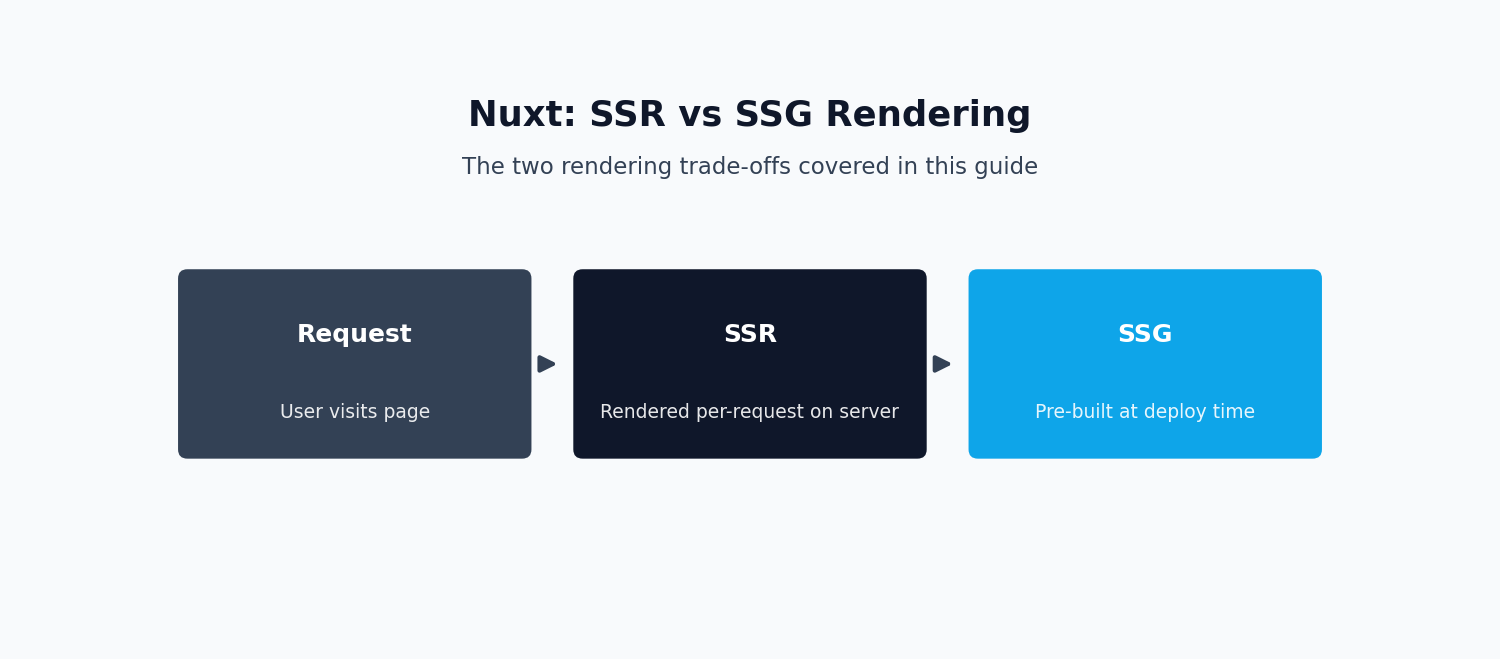
I use Nuxt when a project genuinely needs server-side rendering or static generation — public-facing marketing pages, content sites, storefronts, anything where SEO or first-contentful-paint on a slow connection actually matters. Nuxt’s file-based routing and hybrid rendering modes save real setup time compared to hand-rolling SSR on a plain Vue + Vite SPA.
Where I don’t reach for Nuxt: internal tools, authenticated dashboards, and admin panels — anything behind a login wall where there’s no SEO benefit to server rendering and the added complexity of hydration just isn’t worth it. The tradeoff I walk clients through: SSR gets better initial load performance and SEO, at the cost of needing a Node runtime in production, more careful handling of browser-only APIs, and hydration debugging that doesn’t exist in a client-only SPA.
State Management — Pinia (and Why Not Vuex)
Pinia is the current standard for Vue state management. Vuex is legacy at this point — it’s in maintenance mode, and the Vue core team has pointed to Pinia as the recommended solution for a few years now. Stores are just composables, so there’s no module namespacing gymnastics. TypeScript inference works properly out of the box, and devtools support includes time-travel debugging.
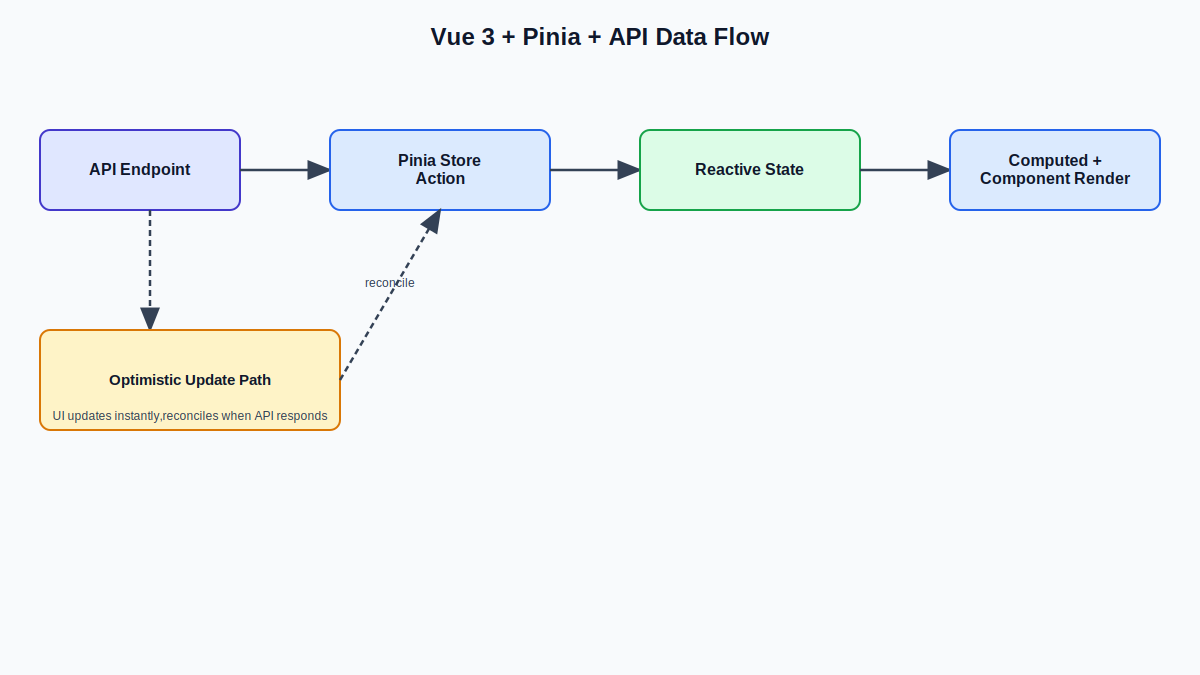
For architecture, I keep stores scoped to genuine cross-component concerns — auth state, cart/order state, active-user permissions — and keep component-local state local rather than routing everything through a global store by default.
Performance Optimization
Vue performance work splits into three buckets: what ships to the browser, what the browser has to render, and what the user perceives while waiting. Core Web Vitals (LCP, INP, CLS) are a direct Google ranking factor, so performance work is also SEO work.
On bundle size: route-based code splitting with dynamic import(), auditing bundle composition regularly with tools like vite-bundle-visualizer. On rendering: v-memo and computed caching for expensive list renders, virtual scrolling for large lists, being deliberate about v-if versus v-show. On perceived performance: skeleton screens instead of spinners, optimistic UI updates for high-success-rate actions, and lazy-loading images and below-the-fold components.
Component Testing — Vitest and Vue Test Utils
For Vue 3 projects, Vitest is my testing framework — built on Vite, sharing your app’s config instead of requiring a separate Babel/webpack setup. Paired with Vue Test Utils for component mounting and Testing Library’s Vue bindings when I want tests written against what a user actually sees.
I write tests at three levels: unit tests for composables and utility functions, component tests for anything with meaningful interaction logic, and a smaller set of end-to-end tests (Playwright) for critical business paths. On projects where I’m also building the backend, Jest or PHPUnit show up there.
Laravel + Inertia.js Stacks
Inertia.js lets you skip building a separate API layer entirely — Vue components receive data as props directly from Laravel controllers, no REST or GraphQL API to design, version, and maintain. The tradeoff: it couples your frontend tightly to a Laravel backend. If you need a separate mobile app or a genuinely decoupled frontend, Inertia’s convenience becomes a constraint.
Where it’s clearly the right call: internal tools, admin dashboards, B2B SaaS products with a single web frontend and no near-term plans for a separate API consumer.
Design-to-Production Workflow
I work directly from Figma files, building components against actual design tokens pulled from the file or design system. Where I push back: states the design doesn’t cover — empty states, long content, slow connections, permission-denied views. I work breakpoint-first rather than treating mobile as an afterthought.
Vue vs React — Which Should You Choose
I build in both, so I don’t have a horse in this race.
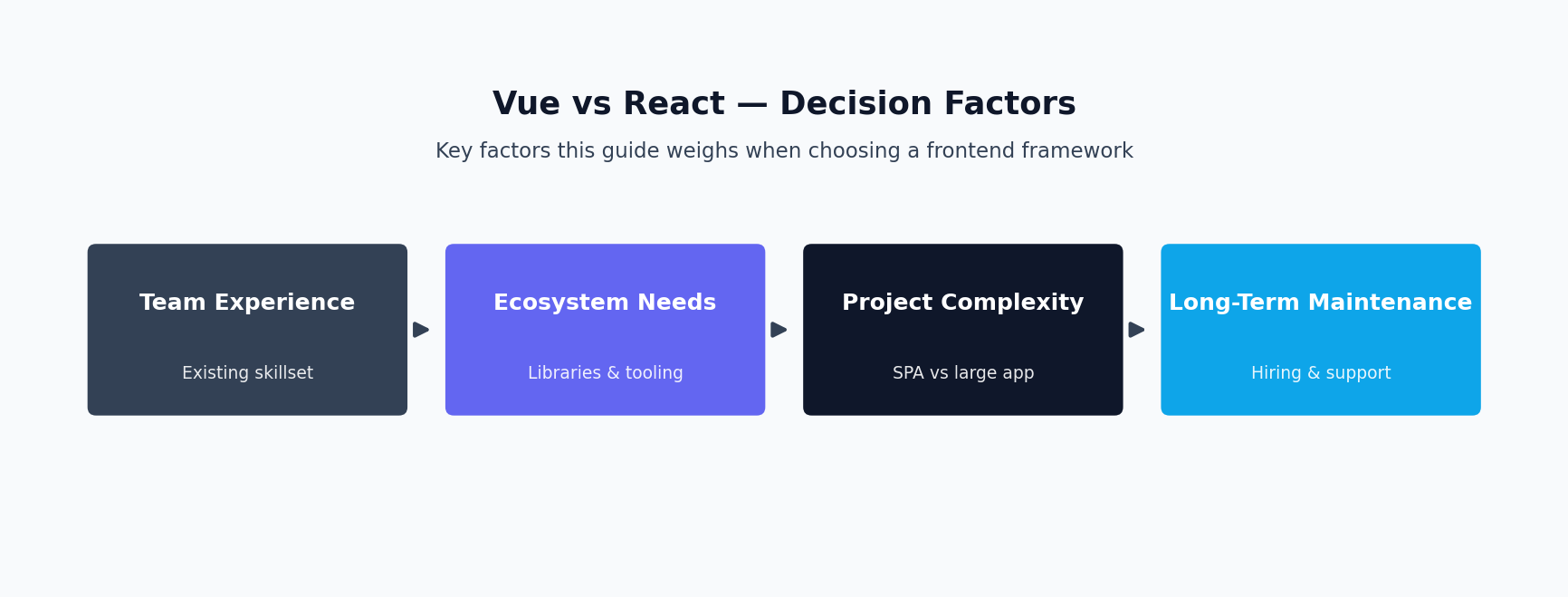
Team familiarity. Usually the deciding factor. If your team already knows React, choosing Vue for a “better” API is usually a mistake.
Ecosystem and library maturity. React’s ecosystem is larger. For most common needs, Vue’s ecosystem covers you fine, but React’s longer tail of libraries is a real advantage for unusual integrations.
Hiring pool. React has a larger hiring pool, especially in the US market. Vue’s hiring pool is smaller but tends to be more deliberately specialized.
Learning curve. Vue’s single-file components and more opinionated conventions make it easier to onboard a new developer quickly.
Migration cost. Switching frameworks is almost never worth it purely on technical merits.
My honest take: for a greenfield SaaS product with a small team, I lean Vue for the tighter learning curve and Pinia’s state management story. For a larger team or enterprise environment where hiring depth matters more, React’s ecosystem is the safer long-term bet.
Vue.js Development in Production: Proof
Custimoo — Product Customizer UI
I built the Vue.js frontend for Custimoo’s live customizer — the tool that lets a user design their own jersey or gear in real time. The engineering challenge is state complexity: interdependent settings that all need to update a live preview instantly, stay consistent with each other, and resolve into an order-ready configuration. I used computed properties and watchers deliberately rather than letting every input trigger a full preview re-render.
WingWarranty — Dashboard UI
My work centered on WingWarranty’s Vue.js dashboards — interfaces where customers, agents, and administrators view and manage warranty and policy data. I built this around role-based component composition — shared table and detail-view components that accept configuration for what a given role can see. Billing-adjacent screens tied to Reepay needed careful handling of pending, processing, and confirmed states.
Seers — Compliance UI
I worked on the frontend for Seers’ GDPR/compliance products. Compliance UI work has constraints most SaaS frontend work doesn’t: legally-reviewed copy that can’t be reworded loosely, and accessibility that isn’t optional. That pushed real practical accessibility work — proper focus management for consent modals, sufficient color contrast, ARIA roles on custom components, and graceful degradation if JavaScript loads slowly. That experience shaped how I approach accessibility on every Vue project since.
Support and Maintenance for Vue.js Applications
Shipping a Vue.js web application is the start, not the finish. Whether it covers single page applications, a broader web application development effort, or a Nuxt app, most of the total cost of ownership shows up after launch: dependency upgrades, loading time regressions as data grows, and user interface tweaks driven by real usage.
I offer a maintenance service, and a support and maintenance retainer, for Vue.js solutions I’ve built or inherited. For teams running a custom Vue.js frontend at large scale — multiple product surfaces sharing components and design tokens — that ongoing relationship tends to matter more than the initial build, because a Vue.js development company that disappears after launch leaves you covering gaps in institutional knowledge. My app development process seamlessly integrates with the web app and web applications you already have in production, so a new feature doesn’t mean re-learning how the whole system fits together, and user experiences stay consistent across whatever gets added next.
How Vue.js Development Engagements Work
1. Scoping call. What you’re building, what exists already, what “done” looks like.
2. Proposal. A written scope, engagement structure, and realistic timeline.
3. Setup and first milestone. Repo setup, tooling, and a first vertical slice built end-to-end.
4. Regular check-ins. Async updates by default, calls scheduled as needed.
5. Review and handoff. Formal handoff or transition into an ongoing retainer.
Engagement & Pricing
Hourly fits work with real uncertainty. Fixed-scope fits well-defined projects with a clear “done” state. Retainer fits ongoing relationships needing continued frontend development.
On frontend-only versus paired full-stack: I take frontend-only Vue work against an existing API regularly. But for greenfield projects, I generally recommend a paired engagement, because the tightest frontends come from a frontend developer in the conversation about API shape from the start.
I don’t post fixed hourly rates or package prices here — reach out and I’ll give you a specific, honest number for your project.
For the state-management library referenced above, see the official Pinia documentation. If your project also needs backend or Laravel work behind the frontend, see my Laravel SaaS development and full-stack developer pages.
FAQ
Should I use Vue or React for my project?
Depends mostly on your team’s existing familiarity and hiring plans — see the comparison above.
Do you take frontend-only Vue engagements, or only paired full-stack work?
Both.
How does the Figma-to-production handoff work?
I work directly from your Figma file, build against your actual design tokens, and flag gaps in the design as I encounter them.
Do you use TypeScript?
Yes, by default, on new Vue 3 work.
What’s your testing approach for Vue components?
Vitest and Vue Test Utils, weighted toward composables and component-level tests, with a smaller set of end-to-end tests.
Can you join an existing Vue codebase, or do you only build from scratch?
Both.
Does Vue handle SEO and SSR well?
Yes, through Nuxt, if the project actually needs it.
Do you use Vuex or Pinia?
Pinia, for any new Vue 3 project.
What accessibility practices do you follow?
Semantic HTML first, ARIA as a supplement, proper focus management, sufficient color contrast, and keyboard-first testing.
How do you handle a project where the API doesn’t exist yet?
I can design the API alongside the frontend it’s meant to serve, or collaborate directly with existing backend developers.
What exactly does your Vue.js development work include?
My Vue.js development covers Vue 3 SPAs, Nuxt applications, Pinia state management, and TypeScript integration — full production-grade Vue.js development, not just component styling.
Who is your Vue.js development a good fit for?
Teams that need Vue.js development done by someone who also understands the API behind it. My Vue.js development work is built for products where the frontend and backend need to be designed together, not handed off across a wall.
How is Vue.js development priced?
Hourly for exploratory work, fixed-price once a specific Vue.js development scope is defined, or a retainer for ongoing Vue.js development after launch.
Do you do Vue.js development alongside backend work, or frontend only?
Both. Most of my Vue.js development happens alongside the Laravel, Node.js, or ASP.NET Core API it talks to, but I also take on Vue.js development as a standalone frontend engagement when a backend team is already in place.
Vue or React — which should I choose for my project?
It depends on your team and stack, which is exactly what the section above covers. If you’re set on Vue, my Vue.js development experience with Vue 3, Nuxt, and Pinia covers the full stack you’d need.
Do you offer ongoing support after a Vue.js development project ships?
Yes, structured as a retainer. Vue and its ecosystem keep evolving, so ongoing Vue.js development support — dependency updates, new features, performance tuning — is worth planning for rather than treating a launch as the finish line.
What’s the difference between Vue.js development for a SPA versus a Nuxt app?
A Vue 3 SPA is client-rendered and best for authenticated dashboards and internal tools. Nuxt adds server-side rendering, which matters for Vue.js development on public-facing, SEO-sensitive pages. Which one fits your project gets decided during scoping, based on what the page actually needs to do.
Vue.js development means different things depending on project stage: a greenfield build gets Vue 3 and Pinia set up correctly from the start, while an existing Vue.js development codebase often needs targeted work — a migration from Options API to Composition API, a state-management cleanup, or a performance pass on a dashboard that’s grown slow. Either way, Vue.js development goes faster when the person doing it also understands the API layer it’s talking to, which is where a full-stack background helps more than a frontend-only specialist would.
Let’s Build Something
If you need Vue.js development for a Vue 3 SPA, a Nuxt app, or a Vue frontend that actually fits the API behind it, get in touch and tell me what you’re building.
