Planning to build a real SaaS product with Laravel, not a demo? Good SaaS development is about more than code that runs. If you’ve ever tried to turn a working Laravel app into an actual SaaS product, you’ve probably hit the moment where the gap becomes obvious. A CRUD app with authentication is not a SaaS product.
A SaaS product needs to know which data belongs to which customer and enforce that boundary everywhere, every time. It needs to charge people on a recurring basis and handle the card that gets declined on renewal day. It also needs to let a customer upgrade from Starter to Pro without a support ticket. It needs roles that go deeper than “admin” and “user.”
And it needs background jobs that don’t fall over when three hundred customers all trigger a report export at 9am on Monday.
I’m Faisal Nadeem, a full-stack and AI integration engineer based in Lahore, Pakistan, working remotely with EU and US clients for 6+ years. Laravel is one of my core stacks, paired with Vue.js, Node.js, and — depending on the project — Python or ASP.NET Core for specific services.
I’ve built two SaaS platforms from the ground up on Laravel: Custimoo, a sports-apparel customization platform, and WingWarranty, a car-insurance SaaS product with subscription billing through Reepay. I’ve also worked inside Seers, a GDPR compliance SaaS company, which means I’ve seen multi-tenant architecture and data handling from the compliance side, not just the engineering side.
This page covers how I approach Laravel SaaS development end to end — architecture, billing, permissions, background processing, and frontend decisions. It also covers the practical process of taking a SaaS idea from MVP to something that survives real customer load.
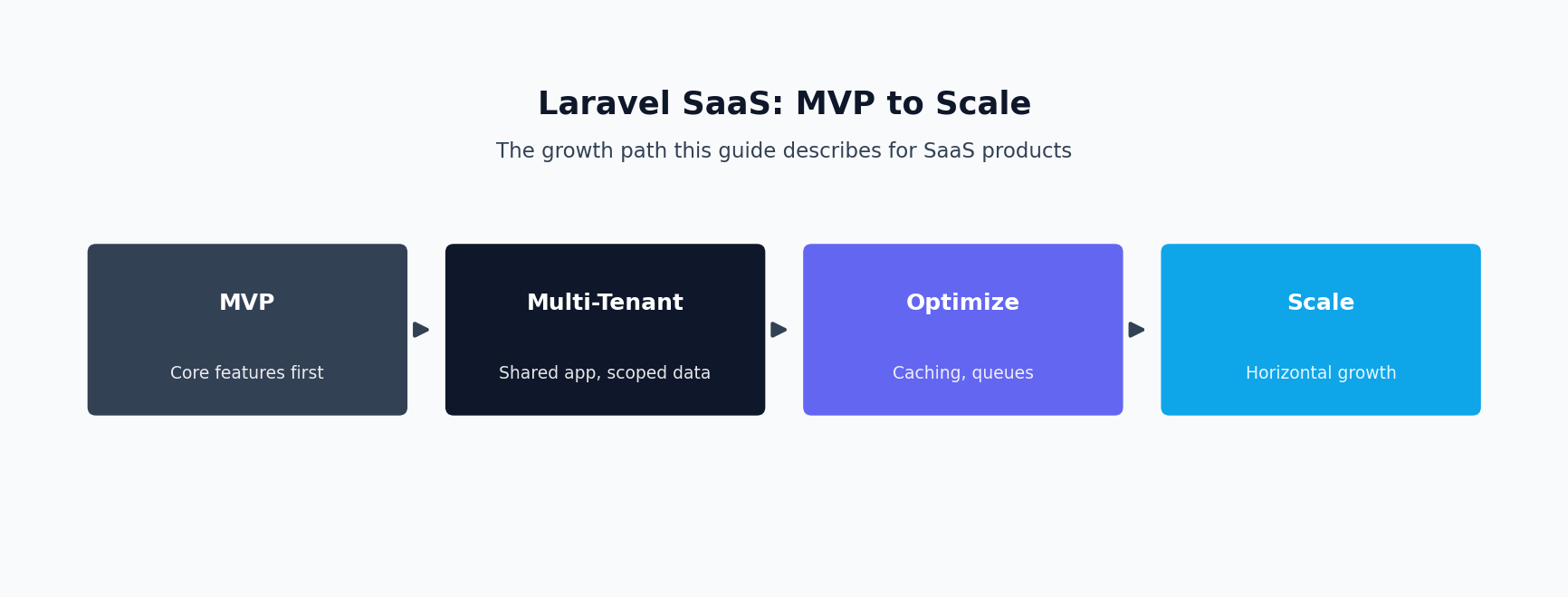
Table of Contents
Laravel SaaS Development: Core Capabilities
Multi-Tenant Architecture
Multi-tenancy is the decision that shapes everything downstream. A single database, shared schema approach — where every table carries a tenant_id and every query is scoped to it — is the most common starting point for SaaS MVPs. It’s cheap to operate, easy to migrate, and easy to reason about as long as the scoping discipline is airtight. That means global scopes applied consistently, middleware that resolves the current tenant early in the request lifecycle, and tests that specifically try to break isolation. Getting this right early is what separates real Laravel SaaS development from a bolted-on multi-tenant hack.
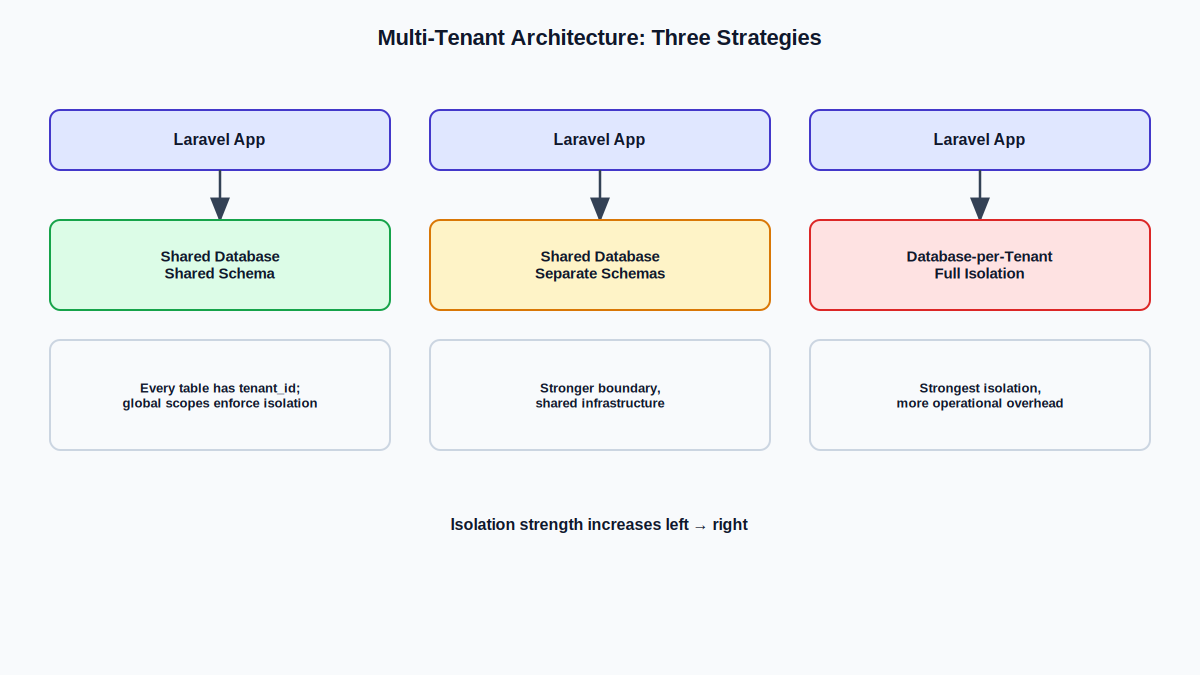
Single database, separate schemas (particularly natural with PostgreSQL) gives a stronger isolation boundary while still sharing infrastructure. This is useful when compliance requirements demand more separation than row-level scoping but full database-per-tenant isn’t justified yet.
Database-per-tenant is the strongest isolation model, right when you have enterprise customers with contractual data-separation requirements. The tradeoff is operational: migrations run across every tenant database, and cross-tenant reporting requires aggregating across databases.
I typically start SaaS builds with the shared-schema model unless there’s a specific known reason not to, because it lets us validate the product faster. What I won’t do is treat tenant scoping as an afterthought bolted onto controllers; it needs to be enforced at the lowest practical layer — model or query builder.
Subscription Billing (Stripe, Reepay, Fenerum)
Billing is where SaaS projects quietly become much harder than the initial spec implied. I’ve implemented subscription billing with Stripe, Reepay, and Fenerum. A subscription moves through a real lifecycle: trial, active, past due, canceled, and sometimes paused or resumed. On WingWarranty, I integrated Reepay for the platform’s subscription billing, building webhook handling for payment events and keeping local subscription state in sync with what Reepay reported. Billing logic like this is where most Laravel SaaS development projects either hold up under load or quietly break.
The parts that separate a billing integration that works in the demo from one that survives real customers:
- Webhooks as the source of truth. I build billing state to update off webhook events with idempotency handling, since providers will and do redeliver the same event.
- Dunning and failed payments. I build retry logic and grace periods aligned with what the provider supports, plus in-app messaging so the customer knows their payment failed.
- Upgrades, downgrades, and proration. Plan changes mid-cycle need to calculate fairly and reflect immediately in what features/limits the account has.
- Invoicing. Customers expect real invoices with correct tax handling and line items.
Whether Stripe, Reepay, or Fenerum is the right fit depends on your target market. Reepay and Fenerum are strong for European subscription businesses, while Stripe has the broadest global reach.
Roles & Permissions Systems
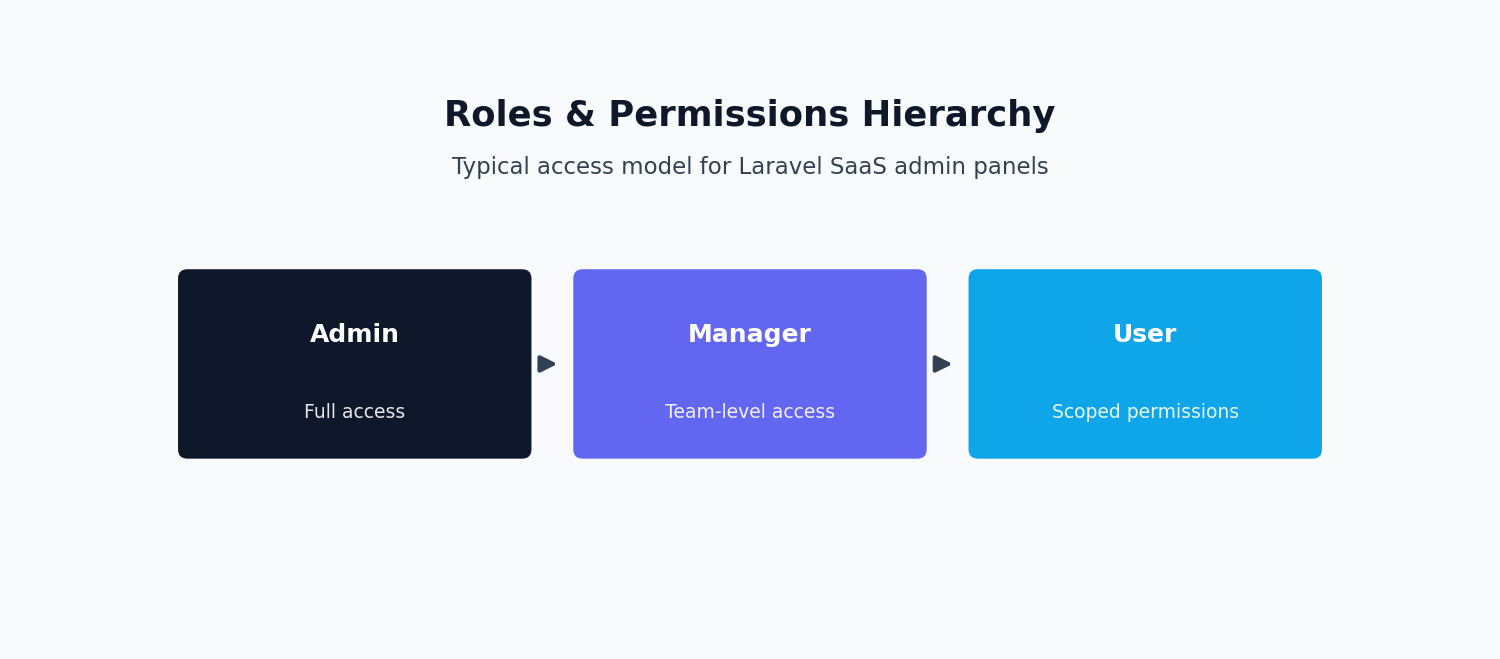
“Admin and user” works for a demo. It stops working the moment a real customer’s team has more than two people. I build permission systems in Laravel around policies and gates. The role/permission data model is granular enough to compose, without becoming so abstract that nobody can reason about what a role can actually do. I also make sure permission checks are enforced server-side consistently — a hidden button is not access control. Permission boundaries like these are non-negotiable in serious Laravel SaaS development work.
Background Job & Queue Pipelines
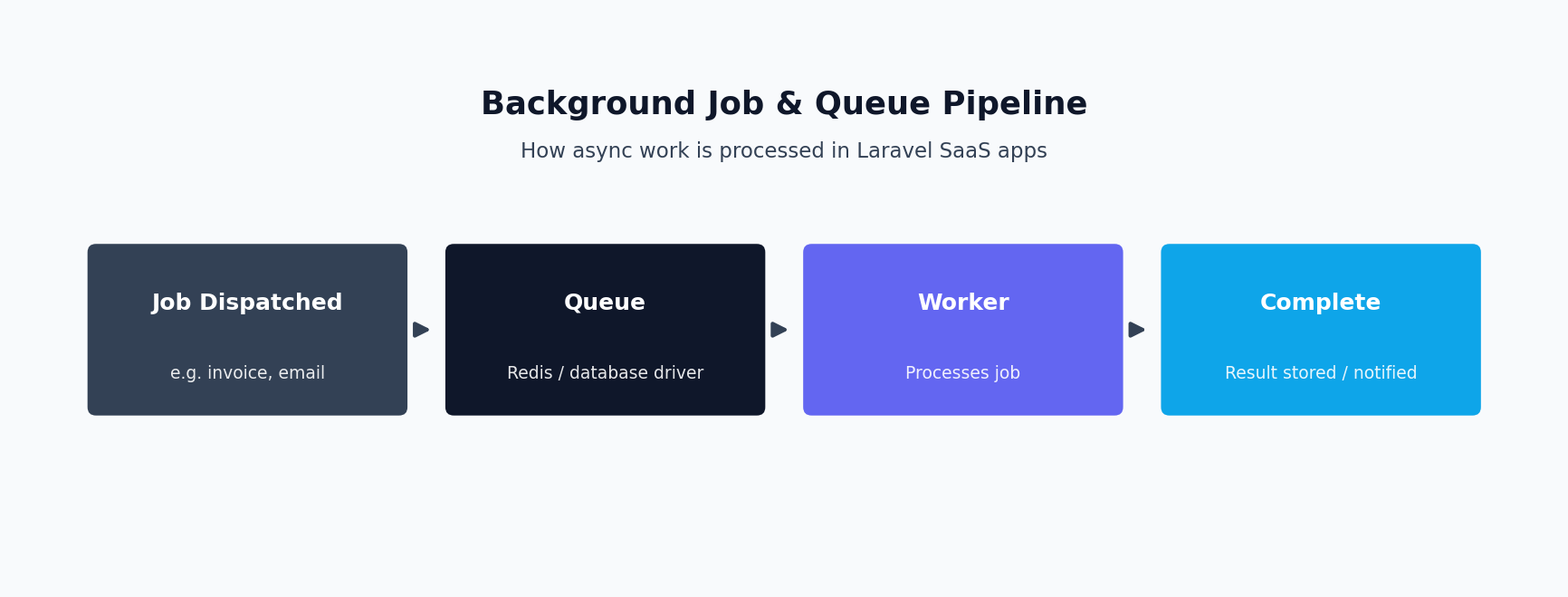
Anything that isn’t instant needs to happen off the request cycle. I use Laravel Horizon to manage Redis-backed queues, which gives visibility into job throughput, failures, and retry behavior. Design questions I focus on: Reliable queues are what keep Laravel SaaS development projects running when traffic spikes.
- Queue separation by priority. A password-reset email and a bulk report export shouldn’t compete for the same worker pool.
- Idempotency and retry safety. Jobs need to be safe to retry without double-charging a customer.
- Backlog monitoring. A queue that’s steadily falling behind is a slow-motion outage.
- Graceful degradation. Jobs should retry with backoff rather than hammering a failing dependency.
I built a PDF generation microservice around exactly this kind of queue-based architecture — offloading PDF rendering to a background job rather than generating documents synchronously.
Admin Panels & Customer Dashboards
Customers need a dashboard showing their own data, usage, and billing with self-service options. Internally, your team needs an admin panel to see across tenants — search accounts, check subscription status, impersonate users to debug, and see system-wide metrics. I build these as genuinely separate concerns in the codebase, because an internal admin panel accidentally reachable by customers is a real risk. A clear admin panel is often the most overlooked piece of Laravel SaaS development.
Frontend: Vue.js SPA vs. Inertia.js
A decoupled SPA (Vue 3 frontend, Laravel API backend) makes sense when you’ll eventually need a separate mobile app or additional API consumers. Inertia.js removes a lot of overhead for projects where the web app is the product — SPA-like navigation with a modern Vue frontend.
Routing and validation stay in Laravel, with no separate API to design and version. For most SaaS MVPs, I lean toward Inertia because it meaningfully cuts development time. Custimoo and WingWarranty were both built with Laravel and Vue.js on the frontend. Both are solid choices for the frontend layer of a Laravel SaaS development project.
Optional AI Features
AI integration is one of my specialties alongside SaaS development. Applications that tend to genuinely help include RAG search over a customer’s own data and AI assistants scoped to specific, well-defined tasks. Background AI processing run through the same queue infrastructure as other async jobs is another good fit. AI add-ons are becoming a common request in modern Laravel SaaS development engagements.
From MVP to Scale
At MVP stage, the goal is validating the product with real customers as fast as responsibly possible. That means a solid multi-tenant foundation, working billing for the plans you’re launching with, roles that cover known early customer needs, and background jobs for anything slow. That’s the growth path I follow on every Laravel SaaS development engagement.
What tends to break as usage grows:
- N+1 queries. Fine at 10 tenants, brutal at 500 tenants with real usage history.
- Queue backlogs. A single-worker setup handles MVP traffic fine and then quietly falls behind.
- Tenant data leakage risk under load. Race conditions in tenant scoping can appear under concurrent access.
- Billing edge cases. Trial-to-paid conversions, mid-cycle plan changes, failed payment retries, and refunds all generate edge cases.
Case Studies
WingWarranty — Car Insurance SaaS Platform
WingWarranty needed a SaaS platform for car-insurance products with recurring subscription billing at its core. I worked on this as a full-stack build on Laravel, Vue.js, and Node.js, with Reepay handling the payment gateway. The integration covered webhook-driven synchronization of subscription state, invoicing tied to actual billing cycles, and handling payment failure paths so a declined renewal had a defined, non-silent outcome.
Because it’s insurance-adjacent, a customer’s coverage status needed to correctly reflect their payment status, so billing state had to be a first-class part of the data model. Here is how that Laravel SaaS development approach played out on two real platforms.
Custimoo — Sports Apparel Customization SaaS
Custimoo combines an interactive customization engine with standard SaaS payment/subscription machinery. My work spanned full-stack development including payment and subscription flows. The customization side required close attention to how design/configuration state gets captured, validated, and carried through to what’s actually ordered and billed.
PDF Generation Microservice
One example is a microservice for PDF generation, built around background job/queue architecture rather than generating documents synchronously. It’s the same pattern I apply to any slow operation inside a larger SaaS product.
Custom Development vs. SaaS Starter Kits
A common question before any of this starts: should you use one of the many Laravel SaaS starter kits on the market, or commission custom laravel saas development services? Starter kits are worth considering if your product genuinely fits their assumptions about auth, billing, and user dashboards.
They can shave real weeks off getting a basic saas laravel scaffold in place. But most products outgrow the starter kit’s opinions within a few months. At that point, ripping out its assumptions about roles or billing costs more than building a laravel saas application from scratch would have. This is one of the first decisions in any Laravel SaaS development project.
The Laravel ecosystem offers enough building blocks — from Cashier for Stripe billing to Jetstream for auth scaffolding — that Laravel offers a credible middle ground. Pull in the packages that fit and write custom code for the parts that make your product different, rather than betting the whole architecture on a saas starter kits’ opinions holding up long term. On the billing side, I’ve also integrated Lemon Squeezy for teams that prefer its merchant-of-record model over handling VAT and sales tax directly through Stripe.
How Engagements Work
1. Discovery & Scoping. What the product needs to do, user roles, billing model, required integrations, and what “MVP” honestly means for your product. Here is what a typical Laravel SaaS development engagement with me looks like.
2. Architecture & Data Model. I lay out the multi-tenancy approach, core data model, billing state model, and roles/permissions structure before writing feature code.
3. Iterative Build. Core tenant/auth foundation first, then billing, then the feature set, with regular check-ins.
4. QA. Tenant isolation checks, billing state and webhook testing, and permission boundary testing.
5. Launch. Deployment, environment configuration, and a final pass on rate limiting, error monitoring, and backup verification.
6. Post-Launch Support. Ongoing engineering attention past initial launch.
What a Laravel SaaS MVP Costs
Laravel SaaS MVP budgets vary widely. As a market reference point, a straightforward MVP built by an offshore or remote team commonly runs somewhere in the $5,000-$15,000 range. Cost climbs from there based on billing complexity, the strictness of multi-tenancy required, and how many third-party integrations are involved. A tenant-isolation retrofit or a billing-system audit on an existing product is usually a smaller, more focused engagement than a full MVP build. Pricing for Laravel SaaS development varies with scope, but here is a realistic range.
I don’t publish a flat rate card above. The honest number depends on the five cost drivers already listed — user roles, billing complexity, integrations, AI features, and multi-tenancy strictness. What I can tell you upfront: every engagement starts with a scoping call, so the estimate you get reflects your actual product, not a generic SaaS template.
Engagement & Pricing
I work both on a fixed-scope basis for well-defined MVP builds and on an hourly or retainer basis for ongoing development. I’m not going to put a number on this page, because a Laravel SaaS MVP genuinely doesn’t have a single honest price. What actually drives cost: These are the standard terms for a Laravel SaaS development engagement.
- Number and complexity of user roles.
- Payment/billing complexity.
- Third-party integrations.
- AI features.
- Multi-tenancy strictness.
Once I understand your actual scope against these factors, I’ll give you a specific, honest estimate.
For the queue infrastructure this relies on, see the official Laravel queues documentation. If your SaaS product also needs AI features or a dedicated frontend, see my AI integration services and Vue.js development pages.
FAQ
How long does a typical Laravel SaaS MVP take to build?
Depends heavily on the factors above. I’ll give you a real estimate once we’ve scoped it.
Why Laravel over Node.js, Django, or Rails for a SaaS product?
Laravel has a genuinely mature ecosystem for queues (Horizon), authorization (policies/gates), multi-tenancy patterns, and billing/admin tooling packages. I also work in Node.js and ASP.NET Core, and if there’s a specific reason another stack fits better, I’ll say so.
How do you handle multi-tenancy?
Typically shared-database, tenant-scoped, unless there’s a known requirement for stronger isolation.
Do you offer ongoing support after launch, or just the initial build?
Yes — retainer or hourly arrangements after launch.
Can you take over an existing Laravel SaaS codebase someone else built?
Yes. I start with an architecture and code review focused on tenant isolation, billing state management, and technical debt.
Do you handle deployment and DevOps, or just application code?
I handle deployment and environment configuration as part of the build.
What payment providers do you work with?
Stripe, Reepay, and Fenerum.
Do you have experience with GDPR or compliance requirements in SaaS?
Yes — I worked at Seers, a GDPR compliance SaaS company.
Can you add AI features to an existing SaaS product rather than building one from scratch?
Yes — adding a scoped AI feature to an existing platform is a common, often lower-risk way to introduce AI.
What if I only need help with one piece — billing, multi-tenancy, or a permissions overhaul?
That’s a normal engagement shape. Billing integrations and multi-tenancy/permissions work are common standalone engagements.
What exactly does the work include?
It covers multi-tenant architecture, subscription billing, role-based permissions, and background job infrastructure — a full production-grade stack, not just a CRUD app with a login screen.
Who is it a good fit for?
Founders and teams turning a working Laravel app into a real SaaS product. This is built for products that need tenant data isolation, recurring billing, and role-based access to actually hold up under real customers.
How is it priced?
Hourly for exploratory or audit work, fixed-price once a specific scope is defined, or a retainer for ongoing work after launch — see the Engagement & Pricing section above.
Does this replace my existing team?
No — it’s designed to plug into your existing engineering, whether that means joining an existing multi-tenant codebase or building a new one from scratch.
How long does a typical engagement take?
It depends on scope. A billing integration or multi-tenancy retrofit is often a focused few-week engagement, while a full build from MVP to launch takes longer. This gets defined on the scoping call, not guessed at upfront.
What’s the biggest mistake teams make when they build SaaS with Laravel?
Bolting multi-tenancy on after launch instead of designing for it from day one. Retrofitting tenant isolation into a live codebase is far more expensive and risky than building it in from the start. This is one of the most common fixes I get called in for.
Do you work with existing billing providers?
Yes — Stripe and Reepay are the two I have the deepest experience with, covering subscription upgrades, downgrades, failed-payment retries, and dunning logic.
Can you audit an existing SaaS product built on Laravel instead of building new?
Yes — this kind of audit is one of the most common ways engagements start. I review the multi-tenancy implementation for data-leak risk and check the billing integration for edge cases like failed renewals and proration bugs. I also assess whether the background job infrastructure will hold up as usage grows. You get a written report with prioritized findings before any work begins, so you know exactly what you’re paying to fix and why it matters.
What tech stack do you use?
Laravel on the backend, with Vue.js, React, or Next.js on the frontend depending on the project. For background jobs I use Laravel’s queue system with Redis, and for billing I integrate directly with Stripe or Reepay’s APIs rather than relying on a generic subscription plugin. That level of control matters once a project has real edge cases to handle.
Do you provide ongoing support after launch?
Yes, structured as a retainer. SaaS products keep evolving after launch — new pricing tiers, new integrations, scaling issues that only show up under real load. Having the same engineer who built the foundation available for that is usually more efficient than onboarding someone new each time.
Building SaaS with Laravel is a broad label that covers very different problems depending on where a product is in its life. A pre-launch MVP needs the multi-tenancy and billing foundation built correctly the first time. An established product usually needs targeted engineering work on a specific bottleneck instead — a billing edge case, a permissions gap, or background jobs that no longer scale. Knowing which situation you’re in changes the right engagement shape, which is exactly what the scoping call is for.
How much does it typically cost?
As a reference point, a Laravel SaaS MVP built by an offshore/remote team commonly runs $5,000-$15,000, with the final number driven by billing complexity, multi-tenancy strictness, and integrations. I quote from a scoped estimate after a call rather than a flat number, since those five factors change the shape of the engagement significantly.
Let’s Build Your SaaS Product
Maybe you’re planning to build SaaS in Laravel for an MVP, evaluating whether your current multi-tenant setup is actually safe, or fixing a billing system that’s generating support tickets. Whatever it is, tell me what you’re building. I’ll give you a straight read on scope, approach, and what needs to happen first. If you’re ready to start, let’s talk about your Laravel SaaS development project.
Frequently Asked Questions
What does ‘multi-tenant’ architecture actually involve?
It means structuring the application so a single codebase and deployment serve many customer accounts securely. That can happen through separate databases per tenant, a shared database with tenant scoping, or a hybrid approach, chosen based on your scale and compliance needs.
Can you take over an existing SaaS codebase, or only build new ones?
Both. I work on greenfield SaaS builds as well as existing Laravel codebases that need new features, performance fixes, or a multi-tenant migration.
Do you handle billing and subscription logic?
Yes, integrating subscription billing (for example Stripe or Paddle), plan limits, usage metering, and upgrade/downgrade flows is a standard part of SaaS builds I take on.
How do you approach scaling as customer count grows?
I focus on queueing background work, caching, database indexing and query optimization, and horizontal scaling patterns early, so the application doesn’t need a rewrite as usage grows.
Can you add AI features like a RAG-based assistant into the SaaS product?
Yes, I build RAG pipelines, AI agents, and LLM integrations, and this is often layered directly into the same underlying codebase rather than run as a disconnected service.
How do we get started?
Book a free consultation to walk through your product, current stack, and goals, and I’ll follow up with a scoped proposal covering approach, timeline, and cost.
